


 Özgül Yavuz Kaddoura
Updated Date:
Performance Max Updates: Waze Ads and Channel Reporting
The Waze Integration: PMax Goes Hyper-Local
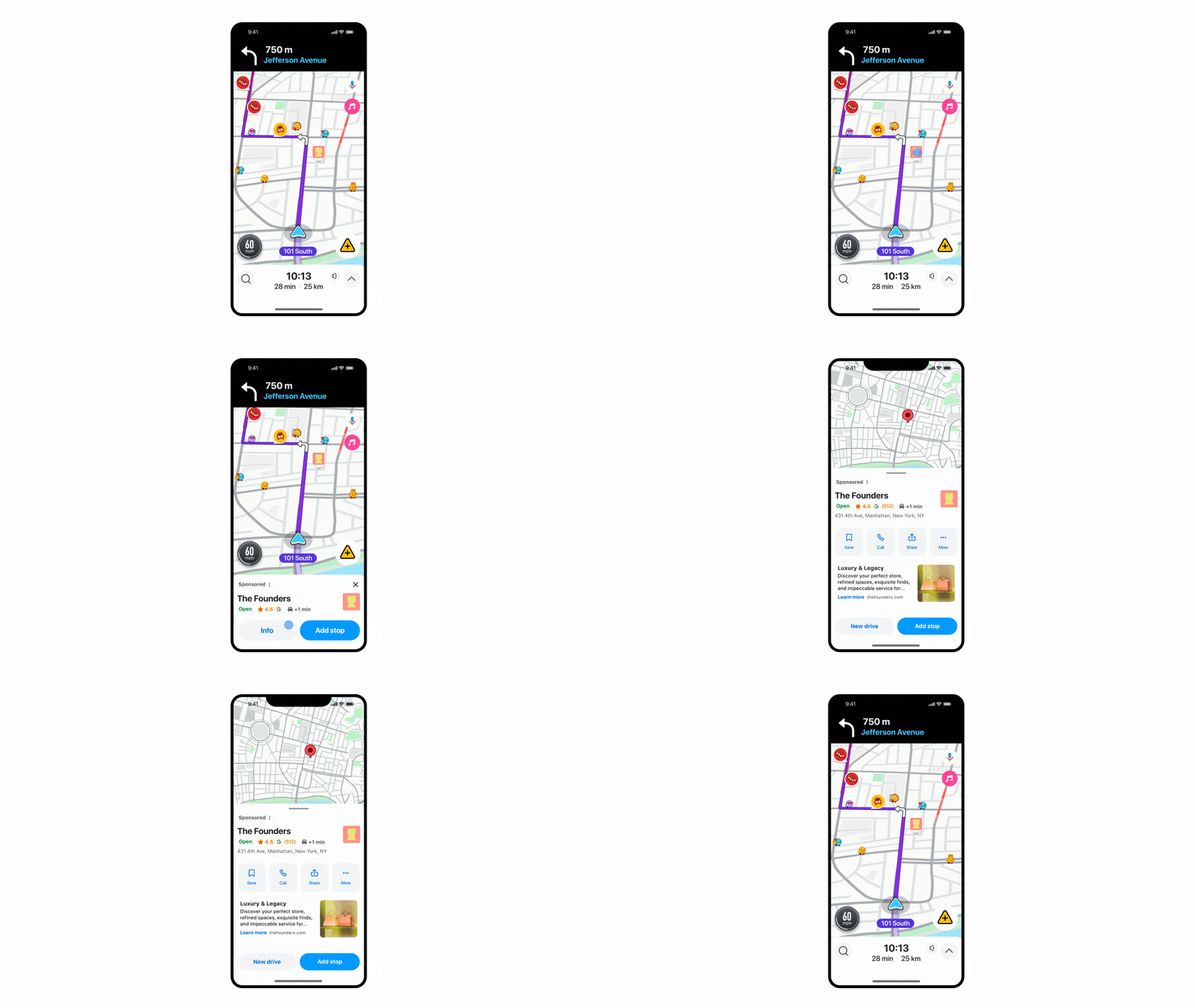
On November 6, 2025, Google added Waze ads inventory to Performance Max for store goals campaigns. It's a notable shift for local advertising, opening up Waze's large audience of drivers to Performance Max advertisers.
Your business can now appear as "Promoted Places in Navigation" pins on users' maps while they drive. Unlike search ads, where people are still researching ("coffee shops near me"), Waze ads reach people who are already on the move and deciding where to stop.
| No extra setup | Performance Max uses your existing assets to optimize for store visits, store sales or local actions such as directions. |
| Strategic timing | Google describes it as "especially helpful during last-minute trips or long journeys over the holidays," reaching drivers that standard Search ads often miss. |
Note: Waze ads in Performance Max launched in the U.S. In September 2026, Google expanded them to 42 markets, including all EU countries, the UK, Canada, Brazil and Australia.
The Transparency Revolution: Channel Performance Reporting
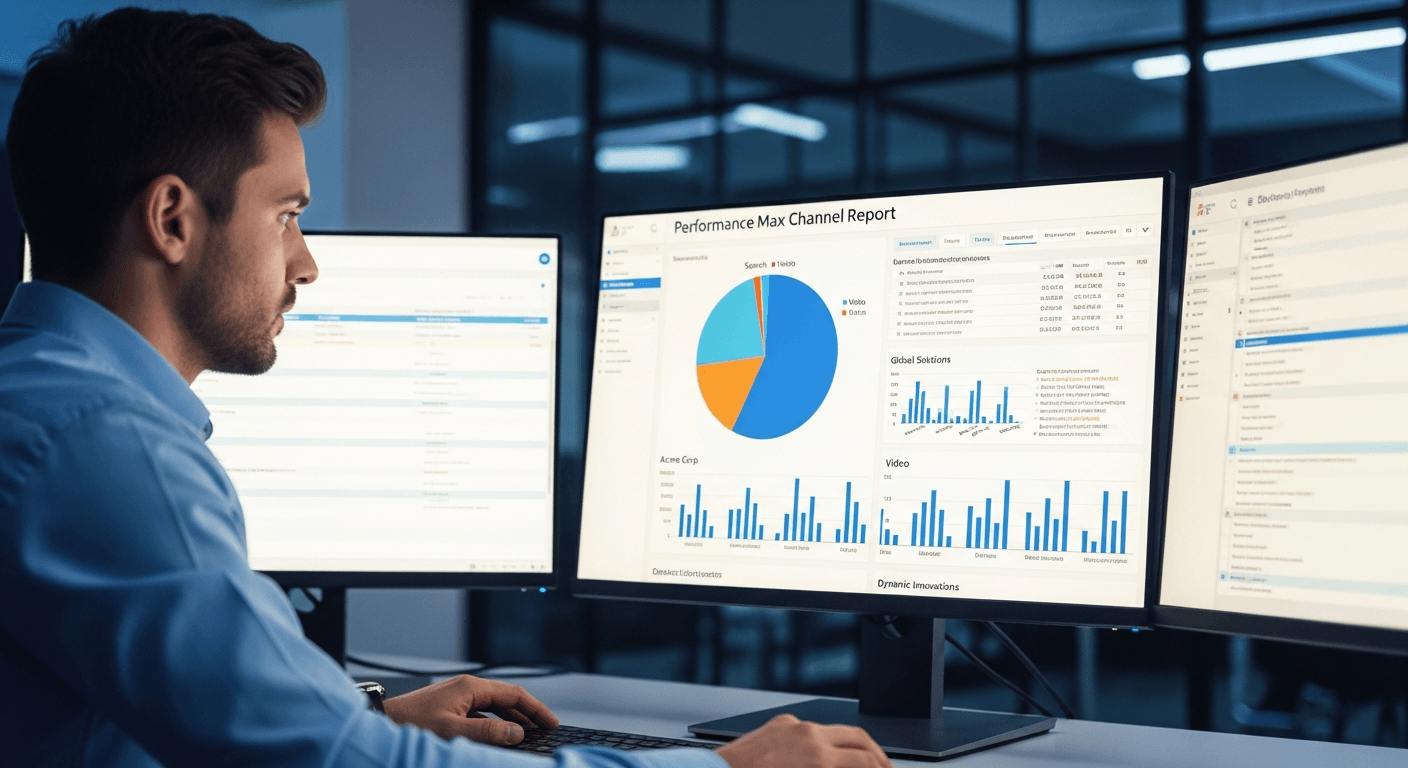
Performance Max is becoming less of a "black box." One of advertisers' most requested features is now available to everyone: channel performance reporting. You no longer have to guess where your budget is going.
The new reporting is a useful look inside Performance Max, but it's also a step toward a bigger change. To see how this transparency fits into the coming era of agentic marketing trends, it helps to look at how Google is reshaping its auction logic for 2026.
The report breaks down clicks, conversions, conversion value and cost by channel: Search, Shopping, YouTube, Display, Discover, Gmail and Maps.
Why it matters: Say your Performance Max campaign spends $5,000 a month. Before, you only saw one blended CPA. Now you might see, for example, that YouTube converts at a $27.94 CPA while Search converts at $14.57. That lets you make informed decisions, such as adjusting asset groups toward search-focused creative if efficiency is your goal.
The Negative Keyword & Security Protocol

Building on an update announced in January 2025, advertisers can now add up to 10,000 negative keywords per Performance Max campaign. That's a big help for blocking unprofitable searches such as "free," "jobs" or "manual."
But negative keywords filter searches, not the people clicking. Even with better reporting and negative keywords, Performance Max remains exposed to sophisticated invalid traffic.
How to Protect Your Performance Max Budget
Because Performance Max is so automated, it calls for active defense rather than passive monitoring. Its standard settings are built to spend your budget efficiently, not to protect it from fraud. Here are four practical steps to protect your Performance Max budget:
Step 1: Audit Waze Traffic (Mobile Security)
Waze ads are valuable for local businesses, but their traffic comes almost entirely from mobile devices. That makes them a target for GPS spoofing.
Bot farms can use emulators to fake GPS signals, making it look as if they're driving near your store. Check your channel report and ClickSambo's location and device reports together to spot unusual mobile clicks.
Step 2: Clean Up Display Placements
With the new channel reporting, you can now see how much of your budget goes to the Display Network.
| Analysis | Compare your Display spend in Google's channel report with ClickSambo's fraud by placement report. |
| Action | If some placements show a high fraud rate, you can add them to your account-level placement exclusion list. |
| Result | Performance Max stops serving on those low-quality sites, and more of your budget can go to cleaner, better-converting channels such as Search. |
Step 3: Review Mobile App Placements
Mobile apps deserve their own check. Instead of relying only on the placements Google chooses, use ClickSambo's fraud by placement report to see which apps send low-quality clicks.
| The problem | Performance Max can show your ads inside mobile apps, especially games and utility apps, where small screens and ads placed near buttons often lead to accidental clicks or bot traffic. |
| The check | Look for app placements in your ClickSambo placement report and note any apps with a high fraud rate or clicks with no engagement. |
| The action | If needed, you can add those apps to your account-level placement exclusion list using their app IDs. |
| Technical note | Since January 2026, Google offers a single account-level exclusion list that applies across Display, YouTube, Performance Max and Demand Gen, so each app only needs to be added once. |
| The impact | Performance Max stops serving in the excluded apps, and more of your budget can go to placements where real customers click. |
Step 4: Real-Time Device and IP Analysis
Manual exclusions are slow and always one step behind. Sophisticated fraud often uses residential proxies that switch IP addresses quickly.
| Setup | Add ClickSambo's tracking code to your landing pages. |
| Action | ClickSambo checks every paid click with device fingerprinting, behavioral AI, VPN/proxy/Tor detection and click velocity rules. Sources identified as invalid are excluded in Google Ads automatically, where Google supports IP exclusions, and sent to Google as negative signals. |
| Impact | Fraudulent sources are cut off as soon as they're identified, so they can't keep draining your daily budget. |
Performance Max offers limited control over where your ads appear. ClickSambo shows which placements send fake clicks and excludes fraudulent sources automatically.
 Start Free Trial
Frequently asked questions
You don't need to do anything manually. If you run a Performance Max campaign for store goals (store visits, store sales or local actions) in a supported market, Google uses your existing assets to create "Promoted Places" pins on Waze. After launching in the U.S., Waze ads expanded to 42 markets in September 2026, including the EU and UK.
Yes, at the channel level. The November 2025 update shows cost, clicks and conversions separately for Search, Shopping, YouTube, Display, Discover, Gmail and Maps. It removes much of the guesswork, so you can see whether part of your budget goes to channels with high cost and few conversions, such as Display in some accounts.
No, and this is a common misconception. Campaign-level negative keywords apply to Search and Shopping inventory. To limit bad traffic on YouTube and Display, use account-level placement exclusions. Click fraud protection like ClickSambo adds another layer by excluding invalid sources across channels, where Google supports IP exclusions, and sending them to Google as negative signals.
Waze ads appear on mobile devices while people are driving or navigating, which creates two risks. First, accidental clicks: users interacting with the map may tap your pin by mistake. Second, GPS spoofing: bot farms can fake location data to look as if they're near your store. ClickSambo's device fingerprinting, VPN/proxy detection and location reports help you spot and exclude these sources.
No, Google doesn't let you fully turn off the Display Network in Performance Max. But the new channel performance report shows whether Display is underperforming, for example high spend with few conversions. You can then use ClickSambo's placement report to find low-quality sites and add them to your account-level placement exclusion list, so more of your budget goes to channels such as Search and Shopping.





 Other
Other