


 Özgül Yavuz Kaddoura
Updated Date:
GCLID & Click Fraud: Your Guide to Accurate Tracking
Why Click Fraud Is a Tracking Problem, Not Just a Budget Problem
Google Ads tracking runs on click IDs such as GCLID, WBRAID and GBRAID. They tell Google Ads which clicks led to conversions, and Smart Bidding learns from that data.
What Are GCLID, WBRAID and GBRAID?
All three are click identifiers Google Ads adds to your landing page URL. They differ in where the click happens and how much detail they carry.
| ID | When it appears | What it tracks |
| GCLID | On ad clicks when auto-tagging is on | A unique ID for each click, linking it to the campaign, ad group, keyword and ad. It also connects Google Ads with Google Analytics. |
| WBRAID | On clicks from iOS apps that lead to your website | Web conversions from iOS traffic, measured in aggregate rather than per user |
| GBRAID | On iOS clicks that lead to an app conversion | App conversions from iOS traffic, also measured in aggregate |
WBRAID and GBRAID were introduced after Apple's iOS 14 privacy changes limited user-level tracking. They let Google Ads keep counting conversions from iOS traffic without identifying individual users.
Why These IDs Are Non-Negotiable

They connect offline sales to ads: When a lead later buys over the phone or in person, you can store its GCLID in your CRM and upload the sale back to Google Ads. Google matches the ID to the original click and credits the keyword and ad that started the journey. WBRAID and GBRAID can be uploaded the same way for iOS traffic.
They feed Smart Bidding: Every conversion tied to a click ID tells Smart Bidding which searches, audiences and placements are worth bidding on. Accurate IDs mean the algorithm learns from the right clicks.
How Click Fraud Hijacks Your Tracking IDs
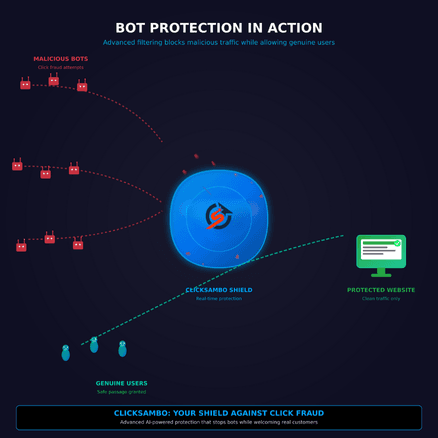
How Click Fraud Corrupts Your Click ID Data
Google Ads can't tell from the ID alone whether a click came from a person or a bot. Every fake click gets a valid GCLID, and the damage spreads from there.
Your reports fill with fake sessions: Bot visits show up in Google Analytics as paid traffic, each with a valid click ID. The campaign looks busy, but engagement and sales don't follow.
Your metrics stop making sense: Clicks and spend go up while conversions stay flat, so conversion rate drops and CPA rises. If 20% of your clicks are fake, your real CPA is about 25% higher than it should be.
Fake conversions mislead Smart Bidding: Some bots go further and fill out forms. Each fake lead is recorded as a conversion with its click ID, and if you upload offline conversions, bad leads can be sent back too. Smart Bidding then treats the sources behind those leads as high-value and bids more on them.
Filtering Your Traffic Before It Gets Tracked
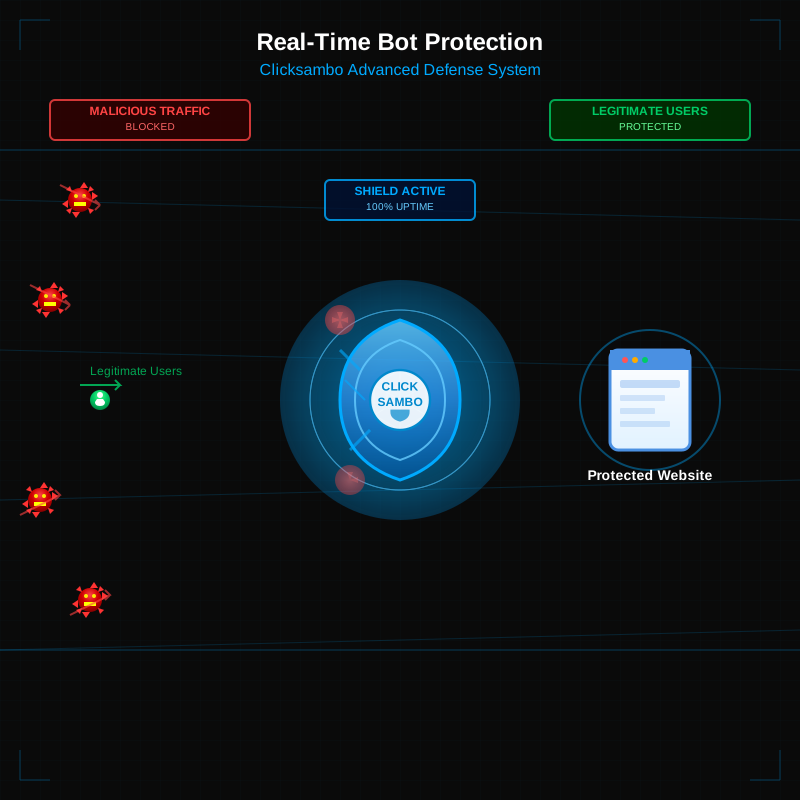
The best way to protect your click ID data is to stop fake clicks before they pile up.
Checks every click as it lands: ClickSambo analyzes each paid click with device fingerprinting, behavioral AI, VPN/proxy detection and click velocity rules, and excludes fraudulent sources from your Google Ads campaigns automatically.
Gives Smart Bidding better data: Fewer fake clicks and fake leads means fewer false conversions in your reports. Before uploading offline conversions, you can match each lead's GCLID against your ClickSambo report and leave out the flagged clicks. Smart Bidding then learns from real customers, and your CPA reflects what you actually pay for each one.
Fraudulent clicks skew tracking models. Keep your click ID data clean with ClickSambo.
 Audit GCLID Data
Frequently asked questions
Yes. While WBRAID and GBRAID are designed for privacy-safe tracking on iOS and app-based platforms, they are still generated upon a click. Fraudulent bots and click farms can trigger these IDs just as easily as they do a GCLID. If a bot clicks your ad on a YouTube app, a GBRAID is generated, and your analytics will show a "ghost" session that never had any human intent, poisoning your app-based performance data.
Actually, Offline Conversion Tracking (OCT) makes fraud detection even more important. If you capture a GCLID in your CRM from a fraudulent bot lead and later upload it to Google Ads, you are telling Google's AI that the bot was a successful conversion. The algorithm then bids more aggressively on the keywords that attract bots. Before uploading offline conversions, match each lead's GCLID against your ClickSambo report and leave out the flagged clicks, so you don't teach Smart Bidding that bots are customers.
This is often caused by "Feedback Loop Poisoning." Google's Smart Bidding is an AI model that needs high-quality GCLID data to function. If 20% of your clicks are from Google Ads Click Fraud, the AI receives 20% "bad data." It begins to optimize your campaigns to find more "users" like the bots, leading to a steady decline in real human sales despite high traffic numbers.
No tool can. Google creates the GCLID the moment the ad is clicked. ClickSambo analyzes each click as it lands, flags fraudulent ones and excludes their sources so they can't keep clicking. Flagged clicks appear in your report, so you can leave them out of offline conversion uploads and keep your analytics cleaner.




 Other
Other