


 Özgül Yavuz Kaddoura
Updated Date:
How to Set Up Google Ads Offline Conversions With the API (2026 Guide)
Why Offline Conversion Tracking Matters in 2026
Setting up Google Ads offline conversions with the API is one of the most valuable technical moves for performance agencies in 2026. As privacy rules limit browser-based tracking, signal quality is what sets leading agencies apart. Traditional tracking only reports positive outcomes. ClickSambo uses a Google Ads offline conversion API workflow to send verified human actions to Google as primary conversions for Smart Bidding, while flagging fraudulent clicks as a separate secondary conversion action for reporting. This guide shows how to build this bridge manually and how ClickSambo automates it to reduce wasted ad spend.
How to Set Up Detailed Offline Conversion Tracking
Detailed tracking starts with the GCLID (Google Click ID), or WBRAID/GBRAID for some iOS traffic where a GCLID isn't available. To run an offline conversion workflow through the Google Ads API, capture these IDs at the moment of the click and store them in your CRM or data warehouse for at least 90 days, the maximum click-through conversion window in Google Ads.
The Success Path for 2026
Capture: Use a lightweight script to read the click IDs from the landing page URL and store them, for example in a first-party cookie or localStorage, until the visitor submits a form.
Mapping: Link each click ID to specific lead stages in your CRM, such as MQL, SQL or Closed-Won.
Feedback: Upload these stage changes to Google Ads through the API as conversions. This lets Smart Bidding see the full funnel, not just the initial click.
How to Manually Setup Google Ads offline conversion with API?
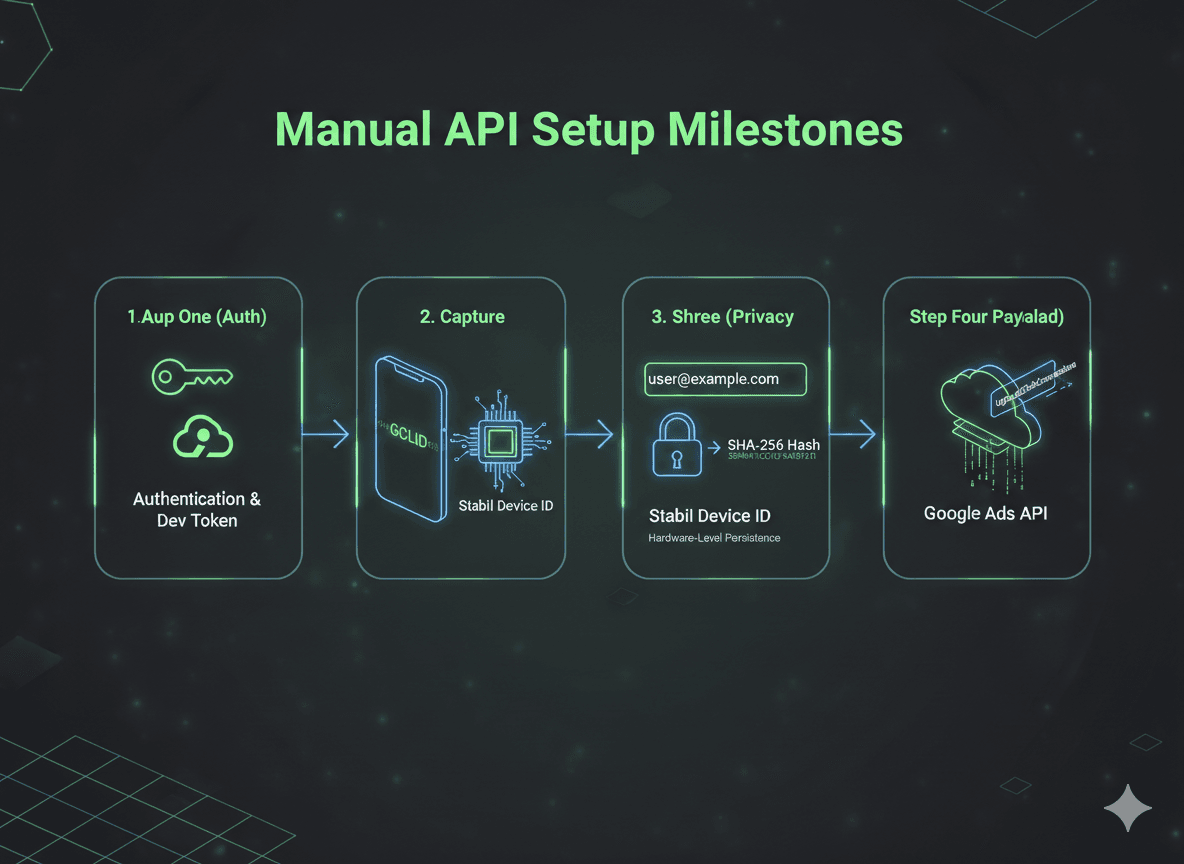
For teams that want to manage the infrastructure themselves, a manual offline conversion setup with the Google Ads API requires technical precision. Follow these milestones:
| Step | Phase | Technical Requirement & Action |
| 1 | Authentication & Developer Token | Create a Google Cloud project, enable the Google Ads API, set up OAuth credentials and request a developer token from the API Center of your Google Ads manager account (MCC). |
| 2 | Click ID Capture | Capture the GCLID, or WBRAID/GBRAID for some iOS traffic. ClickSambo links these IDs to a Stable Device ID to keep tracking consistent even if cookies are cleared. |
| 3 | Data Hashing (SHA-256) | If you also send user-provided data such as email addresses or phone numbers (enhanced conversions for leads), normalize it (lowercase, no extra spaces) and hash it with SHA-256, as Google requires, before uploading. |
| 4 | Payload Construction | Create an import conversion action in Google Ads, then call UploadClickConversions with the conversion_action resource name, the click ID and a conversion_date_time that includes the correct time zone offset. |
Expert Tricks for Google Ads offline conversion with API Success
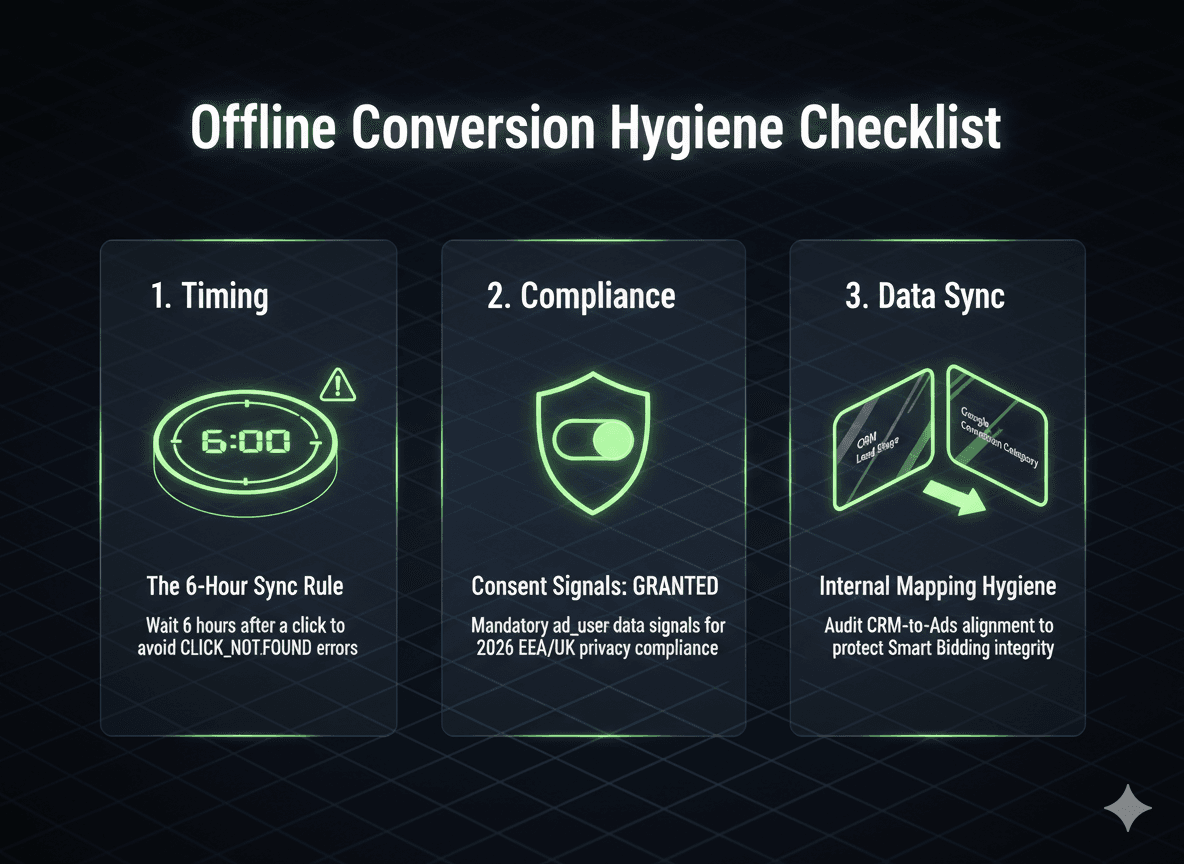
Avoid these common mistakes to keep your offline conversion uploads healthy:
Uploading too soon: Google needs some time to process a new click before it can be matched. If you upload a conversion within a few hours of the click, it may fail with an error such as CLICK_NOT_FOUND, so schedule uploads with a short delay and retry failed ones.
Consent signals: For users in the European Economic Area (EEA), include the consent field in your uploads and set ad_user_data to GRANTED only when the user has actually given consent. This applies to every conversion action you upload, including the one used to flag fraudulent clicks.
Internal hygiene: Regularly check that your CRM stages match the conversion actions and categories in Google Ads.
What to Expect After Implementing Offline Conversions
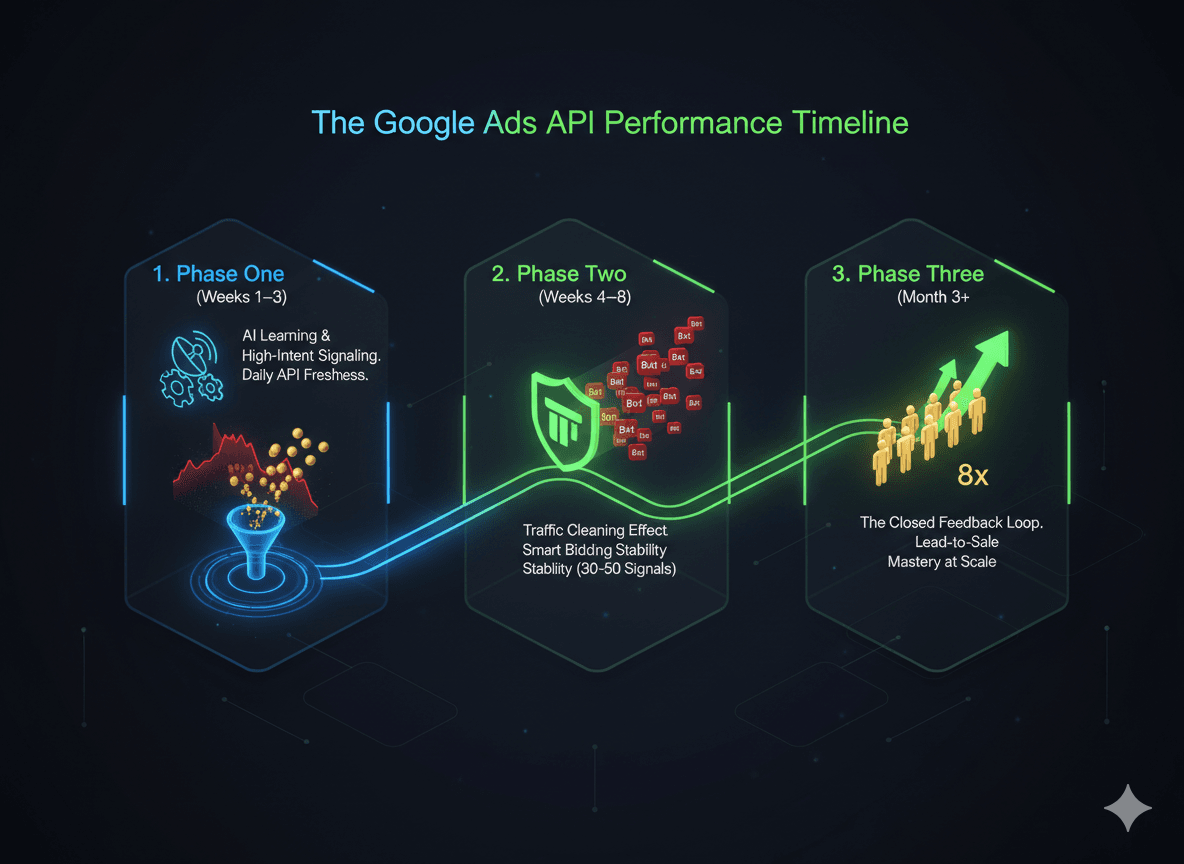
Phase 1: Calibration (Weeks 1–3)
Smart Bidding starts receiving high-intent signals, such as SQLs, deals or sales, instead of just form fills or clicks.
If you change the conversion goal your campaigns bid toward, you'll likely see a "Learning" status. Expect temporary swings in CPC and CPL while the algorithm tests where to find the people who actually turn into customers.
Upload your data through the API at least daily. Fresh data helps the algorithm adjust faster.
Phase 2: Stabilization (Weeks 4–8)
Once your account is uploading a steady volume of qualified conversions, Smart Bidding usually starts to stabilize.
This is where the "traffic cleaning" effect begins. Because the algorithm is only rewarded for qualified leads, it gradually stops favoring traffic that produces spam or bot submissions. Placements with high volume but no down-funnel value get less budget.
Remember that Google attributes offline conversions to the original click date. Your most recent days may look "thin" until the offline data catches up.
Phase 3: Scaling (Month 3+)
The feedback loop is now closed, and the algorithm has a clearer picture of your highest-value customers.
This is where efficiency builds up over time. Many advertisers see better lead-to-sale rates and less wasted ad spend. You aren't just buying more leads; you're buying the right leads for the same budget.
ClickSambo Automation: Primary vs. Secondary Conversions
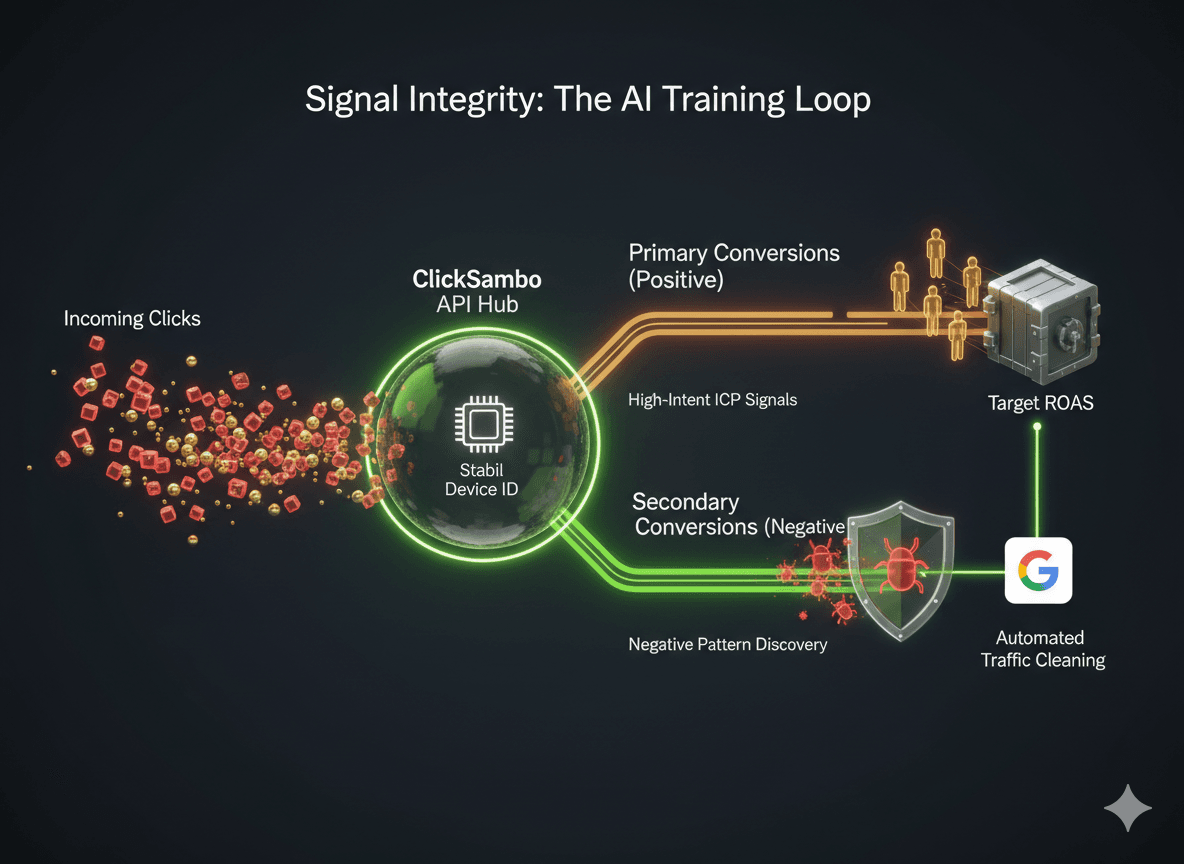
In 2026, Smart Bidding drives a large share of Google Ads auctions, which makes signal integrity one of the most important levers for agency success.
ClickSambo's automatic Google Ads offline conversion sync uses a direct API integration to keep this data clean. It separates interactions into two layers. Primary conversions are genuine, high-value human actions, such as call clicks and qualified leads, that define your ideal customer profile (ICP). These are the signals Smart Bidding learns from. Secondary conversions flag fraud, bots and malicious competitor activity identified through ClickSambo's Stable Device ID and device fingerprinting.
Secondary conversion actions aren't used for bidding, so flagged fraudulent traffic never inflates your primary conversions or ROI metrics. Instead, it shows up in the "All conversions" column, where you can see exactly which campaigns, keywords and placements attract fraud, right inside Google Ads. Combined with automatic IP exclusions, this keeps fake clicks out of your bidding data, so Smart Bidding optimizes only toward real customers. The result is a traffic cleaning effect: less budget spent on bots and a clearer path to a lower CPA as your campaigns scale.
Skip the manual API setup. ClickSambo captures click IDs, uploads conversions automatically and keeps fraudulent clicks out of your Smart Bidding data.
 Start Free Trial
Frequently asked questions
AI models are only as smart as the data they receive. With offline conversions uploaded through the Google Ads API, you feed Smart Bidding verified human actions, such as qualified leads and sales, instead of raw form fills that may include bots. ClickSambo also flags fraudulent clicks in Google Ads, so they don't distort the data your campaigns optimize on. The result is cleaner signals for Smart Bidding, which helps lower your CPA and stabilize your ROAS.
Yes. Performance Max relies heavily on conversion signals, and low-quality placements can feed it misleading data. Uploading offline conversions through the Google Ads API helps by telling PMax which interactions came from real, high-intent customers. That way, the campaign is less likely to keep spending on traffic that never turns into business. Pairing this with click fraud protection helps keep bot clicks out of your PMax data in the first place.
Most setups only report "wins." ClickSambo's offline conversion feature also identifies fraud, bots and malicious competitor activity using its Stable Device ID, and flags these fraudulent clicks in Google Ads. They're kept separate from your real conversions, so they don't inflate your reported results, and Smart Bidding is fed only with signals from genuine customers.
This is usually a timing issue. Google needs some time to process a new click identifier (GCLID) before it can be matched to a conversion. If you upload a conversion within a few hours of the click, the ID may not be recognized yet. Other common causes are uploading to the wrong Google Ads account or using a click ID that has been changed or cut off. ClickSambo's automated sync handles upload timing for you, which helps keep your match rates high.
No. You can build a custom bridge yourself using the Google Ads API conversion documentation, but ClickSambo's offline conversions feature automates the entire process. It handles click ID capture, time zone formatting and automatic uploads to Google Ads, so your team can focus on strategy instead of technical infrastructure.





 Other
Other