
 Features
  Industry Verticals
  Customer Segments
  Fraud Types
  Resource
 About
About  Legal
Legal Support

 Özgül Yavuz Kaddoura
Updated Date:
2026 Google Ads Offline Conversion Guide
Understanding OCT Mechanics
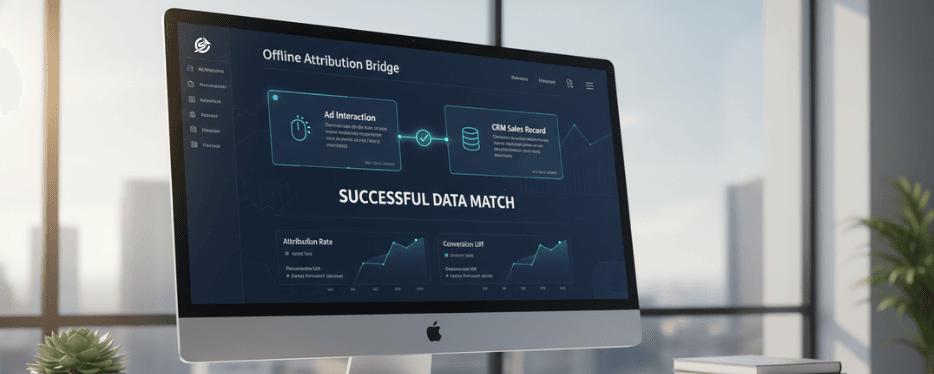
Step 1: Identity Capture (GCLID, WBRAID, GBRAID)
In the 2026 cookieless world, simply capturing identity codes is no longer sufficient; storing them in high-durability environments is the critical differentiator. Google Ads utilizes three primary identifiers: GCLID for Search, WBRAID for iOS web-to-web journeys, and GBRAID for iOS App/YouTube traffic.
Guidance Tip: To capture these effectively, a JavaScript script must be active across every page of your website. Due to aggressive browser privacy restrictions in 2026, storing these identifiers in localStorage for 90 days provides a significantly higher match rate than traditional third-party cookies.
Step 2: CRM Bridge and Hidden Fields
To successfully transmit captured identity data to your sales pipeline, you must integrate a hidden input field into your lead generation forms.
Technical Implementation: Add the following to your form structure: <input type="hidden" id="gclid_field" name="gclid_field">.
Workflow: When a user submits a form, the background script injects the stored value from the browser’s localStorage into this hidden field. This ensures the lead is recorded in your CRM system alongside their unique ad interaction data, closing the loop for offline attribution.
Step 3: PII Security and SHA-256 Hashing Protocol
2026 privacy regulations strictly prohibit the transmission of raw Personally Identifiable Information (PII), such as e-mail addresses or phone numbers. To utilize Enhanced Conversions for Leads, this data must be hashed using the SHA-256 algorithm before being sent to Google.
Critical Success Factor (Normalization): Data must be "cleaned" before hashing. You must remove all whitespace and convert all characters to lowercase; otherwise, the hash will not match Google's records, leading to attribution failure.
ClickSambo Automation: ClickSambo Enterprise Business plan automatically handles this normalization and encryption process before API transmission, ensuring 100% compliance and accuracy without manual intervention.
Optimization for April 2026 Infrastructure
Advertisers should be aware of the April 2026 Google Ads API infrastructure upgrade, which introduces "Fallback Recovery." This feature allows the system to attribute previously rejected or expired GCLIDs, significantly reducing common upload errors.
Furthermore, ClickSambo manages the mandatory 6-hour indexing delay required by Google to prevent CLICK_NOT_FOUND errors and provides automated email notifications for every successful conversion sync, allowing your team to monitor real-time ROI effortlessly.
The April 2026 Infrastructure Revolution
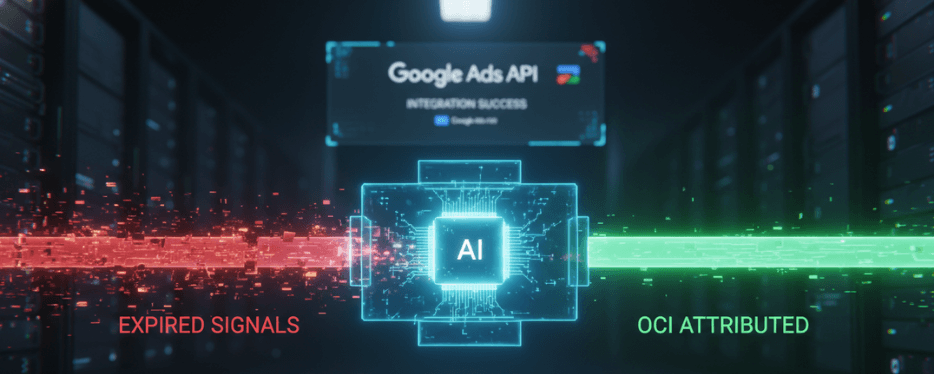
What is "Fallback Recovery"?
As of April 2026, the Google Ads API has undergone a series of infrastructure changes designed to improve the reliability and attribution accuracy of Offline Conversion Imports (OCI).
1. Retroactive Attribution & Error Management:
The most critical part of this update is Fallback Recovery, which allows Google to attribute certain expired GCLIDs and clicks that occurred before the conversion event.
EXPIRED_EVENT Reduction: Clicks previously rejected as "expired" can now be recovered by the system, increasing overall attribution rates.
CONVERSION_PRECEDES_EVENT Solution: Technical discrepancies between the conversion timestamp and the click timestamp are now intelligently minimized, ensuring higher data integrity.
2. Flexible Import Requests (April - May 2026):
This feature simplifies authorization for Manager (MCC) and client accounts, allowing them to import conversions on behalf of different trafficking accounts with ease. This results in a massive reduction of UNAUTHORIZED_CUSTOMER and INVALID_CUSTOMER_FOR_CLICK errors.
The Technical Mandate: The 6-Hour Rule & ClickSambo Autonomy
Regardless of API improvements, Google still requires approximately 6 hours to index a click identifier (GCLID) in its system before it can accept an upload.
The Timing Error: Uploading data immediately after a lead is generated often results in a CLICK_NOT_FOUND error because the ID is not yet searchable in Google’s database.
ClickSambo Bridge Solution: ClickSambo’s automated data bridge receives the sale data from your CRM and manages the Google Ads API "readiness" window with millisecond precision. This autonomous delay ensures a 100% match rate, removing the need for marketing teams to manually monitor technical errors
Strategic Best Practices for Maximum Conversion
In the AI-driven ecosystem of 2026, simply uploading data is no longer enough to win. To achieve market-leading performance, your Google Ads offline conversion tracking strategy must focus on "Signal Integrity" and "Data Depth." Below is a comprehensive guide to the four strategic pillars utilized by high-growth advertisers in 2026.
1. Data Freshness: Fueling the AI Max Algorithm
For Google's AI Max for Search algorithms, data "freshness" is the most critical fuel. Uploading conversion data manually on a weekly or monthly basis forces the algorithm to optimize based on the past. In 2026, real-time feedback is mandatory to allow Smart Bidding to adjust to intraday auction shifts.
Aim for real-time or near-real-time synchronization. Every hour of delay is a lost opportunity for the algorithm to bid more aggressively on high-intent prospects.
ClickSambo Enterprise monitors your CRM in real-time. The moment a lead status changes, our automated OCI bridge normalizes the data and pushes it to Google Ads via API. Once the loop is closed, you receive an automated email notification, ensuring you have full visibility into your data flow without lifting a finger.
2. The Hybrid Identity Model: GCLID + Hashed PII (ECL)
Relying on a single identifier in a cookieless world is a high-risk strategy. In 2026, match rates are maximized by using a "Dual-Identifier" setup, sending both the ad-click ID and hashed first-party data simultaneously.
Configure your system to send the GCLID/WBRAID/GBRAID along with the user's SHA-256 hashed email address and phone number.
This hybrid approach provides redundancy. If a user clears their browser storage or switches devices, Google can still match the offline sale to the original click using the hashed email. According to industry data, this dual-setup increases match rates by a median of 10-25% compared to single-identifier methods.
3. Value-Based Bidding (VBB): Beyond the "Binary" Conversion:
Treating every conversion as equal is the most common mistake in 2026. Value-Based Bidding allows you to assign specific monetary weights to different lead stages, instructing Google's AI to prioritize "Quality" over "Quantity."
Strategic Tiering Example:
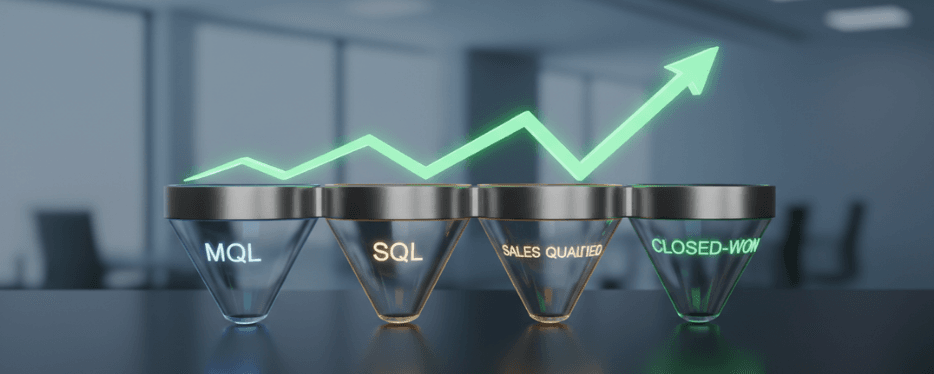
| Marketing Qualified Lead (MQL) | Assign a value of $50 | Signals interest |
| Sales Qualified Lead (SQL) | Assign a value of $250 | Signals high intent |
| Closed-Won Sale | Signals high intent | Assign the actual contract value (e.g., $5,000). |
Impact: This teaches the AI Max algorithm to look for users with the highest Lifetime Value (LTV) rather than just cheap form-fills, dramatically improving your bottom-line ROAS.
4. Full-Funnel Milestone TrackingDirect Answer :
Waiting for a final sale to upload data—especially in B2B or Real Estate with long sales cycles—creates a "Signal Gap." To stay within Google's 90-day upload window and provide consistent feedback, you must track and upload "Mid-Funnel Milestones."
➔ Execution Strategy: Map every milestone from ad click to closed deal. Upload events like "Demo Completed," "Proposal Sent," or "In-Person Visit" as separate conversion actions.
➔ The "Traffic Cleaning" Synergy: By providing a continuous stream of signals, ClickSambo can better identify which keywords drive "Dead-End Leads" versus "Revenue Leads." Our Negative Signaling feature then uploads fraud and bot patterns as secondary signals, ensuring the AI de-prioritizes placements that waste your budget.
Google Ads Offline Conversion Set-up Steps
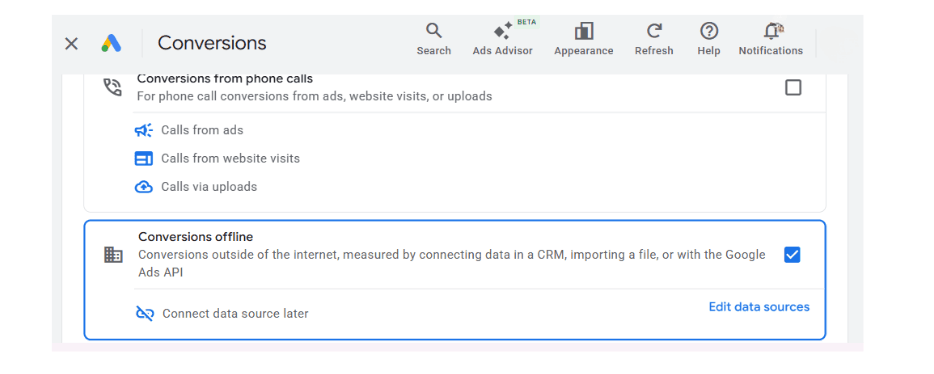
Part 1: Creating Google Ads Offline Conversion "Shells"
Think of a "Conversion Shell" as a reserved slot in your Google Ads dashboard that tells the system: "Expect sales data coming from an external source (like ClickSambo or a CRM)."
Step 1: Access the Conversion Summary
➔ Log in to your Google Ads account.
➔ In the left-hand navigation menu, click the Goals icon.
➔ Navigate to Conversions > Summary.
Step 2: Initiate a New Action
➔ Click the blue + New conversion action button.
Step 3: Define the Data Source
➔ From the four options provided, select the right-most box: Import.
➔ Select Other data sources or CRMs and then check the box for Track conversions from clicks.
➔ Click Continue.
Step 4: Configure Your Conversion Details
➔ Category: Choose "Qualified Lead" or "Converted Lead" based on your sales funnel stage.
➔ Conversion Name: Use a clear, identifiable name that matches your CRM or ClickSambo settings (e.g., ClickSambo_Offline_Sale).
➔ Value: Assign a monetary value to the conversion. Even an estimate is vital, as it enables Value-Based Bidding (VBB)—allowing the AI to prioritize high-revenue prospects over cheap form-fills.
Count: For offline sales, it is highly recommended to select "One". This prevents duplicate entries if the same lead submits multiple forms or interacts with sales several times.
Step 5: Finalize and Save
➔ Click Create and Continue.
➔ On the final screen, ensure that the connection method is set to "API" or "Direct Connection". Click Done.
Critical Technical Warning: The "6-Hour Rule"
One of the most common reasons for implementation failure in 2026 is attempting to upload data too quickly.
Even with the recent April 2026 API Infrastructure Update, Google still requires a "processing window" to index a unique click identifier (GCLID, WBRAID, or GBRAID). It takes approximately 4 to 6 hours for Google’s database to recognize a new click ID.
If you attempt to upload a conversion (via API or manual CSV) immediately after the lead is generated, Google will return a CLICK_NOT_FOUND error. The system simply hasn't "indexed" that specific click yet.
The ClickSambo Solution:
ClickSambo’s Enterprise Business package eliminates this friction entirely. Our automated bridge captures the lead, stores the data securely, and manages the 6-hour upload delay autonomously.
➔ Automated Timing: ClickSambo waits for the precise millisecond when the ID is ready for indexing before pushing the signal to Google.
➔ Email Notifications: Once the conversion is successfully matched and credited to your campaign, ClickSambo sends an automated email notification to your team, providing real-time visibility into your offline ROI without manual monitoring.
Precise GCLID Capture and CRM Integration
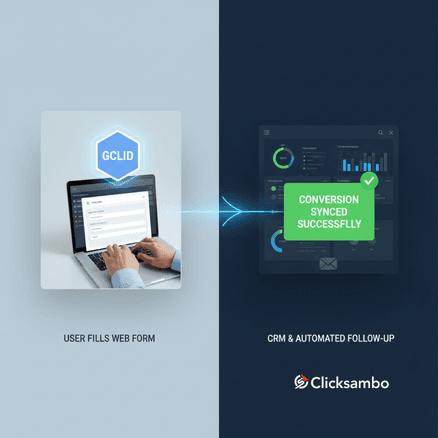
The technical foundation of OCT is the GCLID capture 2026 process. Every click generates a unique identifier that must be stored in the user's browser.
ClickSambo automates this by using a lightweight script to save IDs (GCLID, WBRAID, or GBRAID) into localStorage and then injecting them into your lead forms as hidden fields. This ensures that when a lead hits your CRM, it is already "ad-tagged" for future attribution.
Negative Signaling: Teaching the AI to Avoid Fraud
ClickSambo Enterprise manages more than just "wins." Sophisticated bots and fake clicks are identified via our Stabil Device ID hardware fingerprinting and uploaded to Google Ads as a "Negative Signal" (Secondary Conversion). This teaches the AI Max algorithm to recognize the "DNA" of fraudulent traffic, creating a "Traffic Cleaning" effect. The result is a CPA reduction of up to 50% and a budget reserved exclusively for high-intent human prospects.

Don't let bots dictate your AI Max for Search strategy.
 Start Free Trial
Frequently asked questions
This is almost always a timing issue. Google needs 6 hours to index a GCLID. ClickSambo manages this delay autonomously to ensure 100% match success.
Yes. Sending raw PII (e-mail/phone) is prohibited in 2026. Data must be cleaned (normalized) and hashed before the API upload.
ClickSambo identifies bot patterns and uploads them to Google as "Secondary Conversions." This teaches the AI the "bad DNA" of fraud so it stops bidding on those placements





 Other
Other