


Updated Date:
6 Best Google Ads Management Tools to Maximize ROI
Why Your Google Ads Tool Stack Starts with Clean Data
Good Google Ads management starts with data you can trust. If fake clicks distort your numbers, every optimization you make is built on the wrong foundation.
This guide is for brands and small teams managing their own Google Ads account. The short answer: protect your traffic first, then add tools for automation, ad testing and reporting on top of that clean data. If you run many client accounts, see our list of the best PPC software for agencies.
Why Do Good Google Ads Campaigns Fail?
Poor targeting or a weak offer can sink any campaign. But even well-built campaigns often underperform because of something harder to see: Google Ads click fraud. According to Juniper Research, about 22% of all online ad spend was lost to fraud in 2023. Newer data from 2.7 billion paid clicks puts the yearly cost of invalid traffic at $63 billion (Advanced Television, 2026). For more figures, see our click fraud statistics.
Think of it as a leaky bucket: you can keep adding budget, but until you fix the holes, much of it drains away. Invalid traffic from bots, competitors and click farms creates those holes and leads to:
| Wasted ad spend | Budget goes to clicks that will never convert, leaving less for real potential customers. |
| Unreliable data | Your performance metrics stop reflecting real customer behavior, which leads to the wrong decisions. |
| Misled Smart Bidding | When bots trigger conversions, Google's algorithm learns from fake signals and can start bidding more on the keywords and audiences that attract them. |
The Modern Google Ads Stack

To manage performance, you need to trust your metrics. Here's how click fraud distorts the numbers you rely on most:
| Click-through rate (CTR) | Bots click ads without real interest, so they can inflate your CTR and make a weak ad group look like a winner. |
| Conversion rate | Fake clicks never convert, so they pull your conversion rate down. For example, if 100 people click and 5 convert, your conversion rate is 5%. But if 50 of those clicks came from bots, your real visitors converted at 10%, and your landing page is working much better than the report suggests. |
| Cost per acquisition (CPA) | Fake clicks raise what you pay for each customer. For example, if you spend $500 and get 5 conversions, your CPA is $100. If $200 of that went to fake clicks, the same 5 conversions could have cost just $300 without fraud, a CPA of $60. |
| Engagement | Invalid traffic usually leaves within seconds without interacting. If paid visitors show very short engagement times despite a good landing page, it can be a sign of click fraud. |
6 Tools for Protection and Growth

A strong Google Ads setup works in layers: first protect your traffic so your data is reliable, then use tools that automate, test and report on that data.
1. ClickSambo: The Protection Layer
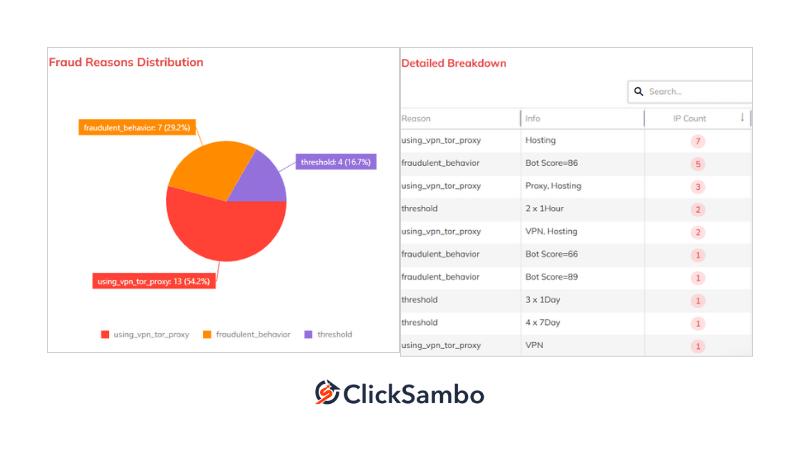
ClickSambo's role in your stack is to keep fake clicks out of your campaigns, so every other tool works with more reliable data. It checks every click on your Google Ads and Meta Ads campaigns in real time.
| Blocks invalid traffic | Device fingerprinting, VPN, proxy and Tor detection, and behavioral AI catch bots, click farms and competitor clicks. On Google Ads, suspicious IPs are excluded and fraudulent visitors are sent back as negative signals; on Meta Ads, suspicious traffic is blocked from reaching your campaigns. ClickSambo also protects Performance Max campaigns. |
| Lets you set the rules | Click velocity thresholds, pre-set for your industry, decide how many clicks from the same device or IP are allowed within a day, a week or a month. You can adjust them to match your risk tolerance. |
| Shows where fraud comes from | Reports break down invalid traffic by location, keyword, placement and fraud type, so you can see which keywords attract more invalid clicks and which placements have the highest fraud rate. |
2. Optmyzr: Automation for Large Accounts
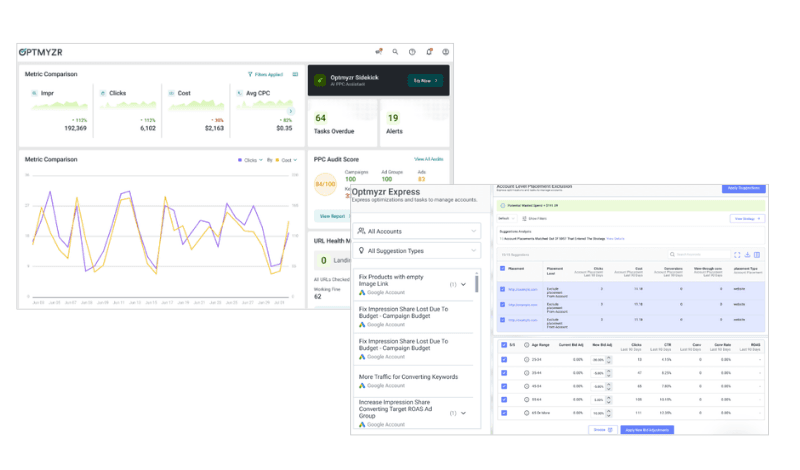
Optmyzr helps professionals automate complex tasks and manage large accounts efficiently.
Key function: automating bids, budget pacing and keyword management.
3. Opteo: One-Click Recommendations
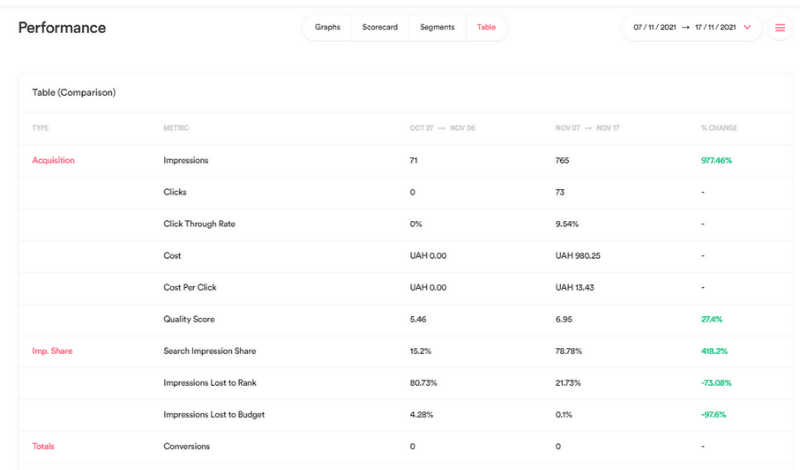
Opteo continuously analyzes your account and suggests specific improvements you can apply with a click.
Key function: surfacing quick optimization wins without hours of manual analysis.
4. HubSpot Marketing Hub: Connecting Ads to Revenue
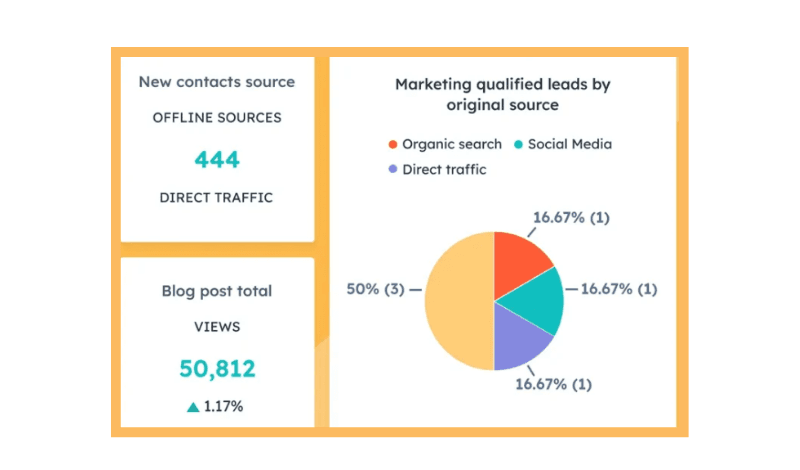
HubSpot connects your ad spend to your sales revenue, so you can see which campaigns bring in real customers.
Key function: tracking leads from your ads through the entire sales funnel to measure true ROI.
5. Adalysis: Ad Testing
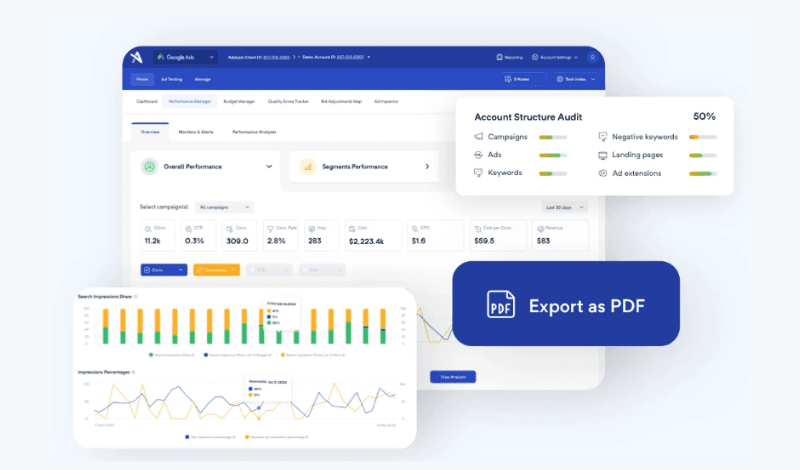
Adalysis focuses on improving your ad copy through structured A/B testing.
Key function: running and evaluating ad tests to find the most effective ad copy.
6. Birch: Cross-Platform Automation
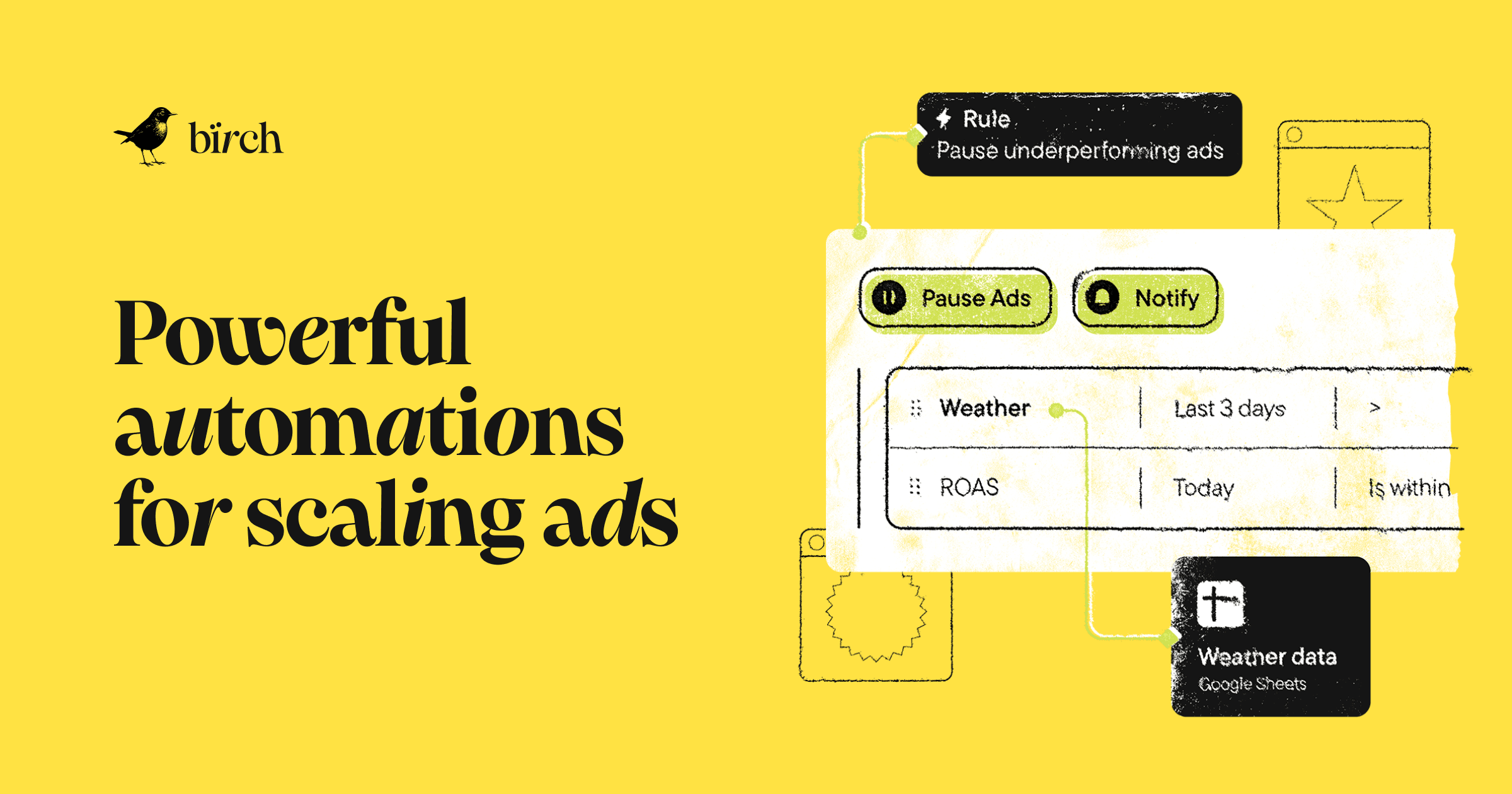
If you advertise on several platforms, Birch lets you manage automation rules and budgets across Google, Meta and TikTok from one place.
Key function: cross-platform budget pacing and automated rules.
How it works with ClickSambo: ClickSambo protects your Google Ads and Meta Ads traffic from fake clicks, and Birch helps you move the budget you save toward your best-performing campaigns across networks.
Which Tool for Which Job?
| Job | Tool | Best for | Add it when |
|---|---|---|---|
| Traffic protection | ClickSambo | Any account that pays for clicks | From day one, before you scale budget |
| Bid and budget automation | Optmyzr | Large accounts with many campaigns | Manual changes start taking too much time |
| Optimization suggestions | Opteo | Teams that want quick, guided changes | You need a regular list of quick fixes |
| Revenue attribution | HubSpot Marketing Hub | B2B and lead generation | You need to see which clicks turn into revenue |
| Ad testing | Adalysis | Accounts with many ad groups | You want structured A/B tests on ad copy |
| Cross-platform rules | Birch | Brands on Google, Meta and TikTok | Budget moves between several networks |
The Winning Strategy: Protect, Analyze, Optimize

Before asking how to improve your CTR, ask whether it's real. The most reliable path to better Google Ads performance has three steps:
Protect: use ClickSambo to keep fake clicks out of your campaigns.
Analyze: use its reports to understand your real baseline performance.
Optimize: use automation and testing tools to act on that data with confidence.
How to Build Your Stack in the Right Order
➔ Turn on click fraud protection and let it run on your live campaigns.
➔ Set a new baseline for CTR, conversion rate and CPA on cleaner traffic.
➔ Fix the basics (targeting, keywords, landing page) before adding automation.
➔ Add automation or testing tools one at a time, so you can see what each one changes.
➔ Connect your CRM if you need to tie clicks to revenue.
➔ Review blocked traffic and results every month.

22%
Of online ad spend lost to fraud in 2023 (Juniper Research via Search Engine Land)
$63bn
Lost to invalid traffic across digital advertising in 2025 (Advanced Television, 2026)
7.57%
Invalid traffic rate on Google Ads (Advanced Television, 2026)
40.1%
Invalid Google Ads clicks we tracked in Turkey, Q2 2026 (ClickSambo)Protect your Google Ads and Meta Ads campaigns from fake clicks, so every tool in your stack works with data you can trust.
 Start Free Trial

Frequently Asked Questions
Why should click fraud protection come first in a Google Ads stack?
Because every other tool relies on your account data. Smart Bidding, automation and testing tools all learn from your clicks and conversions, so if bots trigger fake conversions, they optimize toward the wrong traffic. Blocking fake clicks first gives these tools more reliable data to work with.
How is ClickSambo different from Google's built-in protection?
Google filters a large share of invalid traffic automatically and credits clicks it identifies as invalid. But its systems work across millions of advertisers, so some sophisticated invalid traffic (SIVT) gets through. ClickSambo adds a layer for your own account: it checks every click in real time, blocks suspicious sources automatically and shows you where invalid traffic comes from, by location, keyword, placement and fraud type.
Can I use Optmyzr and Opteo together with ClickSambo?
Yes. They do different jobs. ClickSambo protects your campaigns from fake clicks, while Optmyzr and Opteo help you optimize bids, budgets and keywords. Using them together, following the "protect, analyze, optimize" approach, means your optimization tools work with cleaner data.
Why are B2B advertisers especially exposed to click fraud?
B2B keywords often have some of the highest costs per click, so each fake click is expensive and competitors have a strong incentive to drain your budget. Many of these clicks are hidden behind VPNs and proxies. ClickSambo detects VPN, proxy and Tor traffic and recognizes the same device even when its IP changes, so repeated competitor clicks can be blocked.
Do I need a different tool stack if I manage multiple client accounts?
Usually, yes. Agencies need features a single brand rarely uses, such as multi-account management, client reporting and pricing that scales with the number of accounts. See our guide to the best PPC software for agencies for a comparison.