
 Features
  Industry Verticals
  Customer Segments
  Fraud Types
  Resource
 About
About  Legal
Legal Support

 Özgül Yavuz Kaddoura
How to Claim Your Google Ads Refund for Invalid Clicks
A Complete Guide to the Google Ads Refund Process
You're running a Google Ads campaign. The metrics look promising—clicks are pouring in, and your CTR is solid. Yet, when you look at your bottom line, the numbers don't add up. The conversions you expected aren't materializing, and your budget seems to vanish with little to show for it. If this scenario sounds familiar, you're likely dealing with a silent thief draining your advertising budget: invalid traffic.
Invalid traffic, often called click fraud or ad fraud, is a pervasive issue that costs businesses billions of dollars annually. It refers to any click on your paid ads that has zero chance of converting into a genuine customer. These clicks aren't just a minor annoyance; they represent a significant financial drain, skew your performance data, and undermine your marketing efforts.
The good news is that you don't have to accept this as a cost of doing business. However, the process is notoriously complex and requires a specific type of evidence that most advertisers struggle to provide. This guide will provide a complete, step-by-step walkthrough of the Google Ads refund process, revealing why most claims fail and how you can build an undeniable case to reclaim your wasted ad spend.
Google's Filtering Mechanisms and Limits
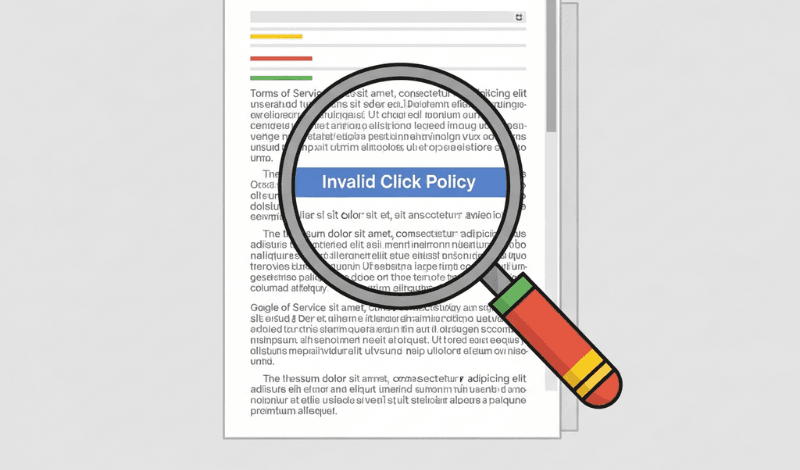
Before you can build a case for a refund, it's essential to understand what Google considers an "invalid click". This isn't a single category of activity but a spectrum, ranging from accidental human error to sophisticated, malicious botnets.
Google's official definition of invalid clicks includes several categories:
| Accidental Clicks | Clicks that provide no value, such as the second click of an unintentional double-click. |
| Manual Fraudulent Clicks | Clicks from competitors or click farms intended to deliberately exhaust your advertising budget or increase profits for website owners hosting your ads. |
| Automated Clicks | Clicks and impressions generated by automated tools, bots, crawlers, or other deceptive software. |
To its credit, Google does have a multi-layered, automated system designed to detect and filter this kind of traffic in real-time. When its system identifies obvious invalid activity, it automatically issues a credit to your account. You can see these automatic adjustments by adding the "Invalid clicks" and "Invalid click rate" columns to your campaign reports in the Google Ads dashboard. Seeing a credit here confirms that Google's system is working to some extent.
However, the critical issue lies in what Google's automated filters miss. While they are effective at catching simple violations like double-clicks, they often fail to detect more sophisticated forms of ad fraud. This is the traffic you end up paying for, and it's the focus of the manual refund process.
Step-by-Step Guide to Filing a Google Ads Refund Claim

When you have evidence of invalid traffic that Google's automated systems have missed, your next step is to file a manual claim using the official Click Quality Form. This form is your direct line to Google's ad traffic quality team for a formal investigation.
Ensure You Have the Right Permissions
Before you begin, verify your access level. Only users with Admin access to the payment profile can submit a refund request. If you have Standard or Read-only access, you will need to ask an account administrator to complete the submission. This is a common stumbling block that can cause significant delays.
Gather the Required Information
The Click Quality Form requires highly specific information about the suspicious activity. You must provide a comprehensive and accurate account of the issue. Be prepared to fill out the following fields :
| Your Customer ID | Provide the 10-digit ID for the specific Google Ads account affected. Do not use a manager (MCC) account ID. |
| Start and End Dates | Specify the date range of the suspicious activity. Crucially, Google will only investigate activity within the last 60 days from the date of your submission. |
| Affected Campaigns, Ad Groups, and Keywords: | List the specific campaigns, ad groups, and even keywords that you believe were targeted by invalid traffic. |
| Summary of the Problem | Write a brief, factual summary of why you believe the traffic is invalid. For example, "We observed a sudden spike in clicks from a narrow range of IP addresses with a 0% conversion rate and 100% bounce rate." |
| List of Suspicious IP Addresses | This is the most critical piece of evidence. You need to provide a list of the IP addresses or IP subnets that you have identified as fraudulent. |
| Suspicious Display Placements | This is the most critical piece of evidence. You need to provide a list of the IP addresses or IP subnets that you have identified as fraudulent. |
| Attachment of Tracking Data | You must attach a file containing your evidence. This could be a copy of your server weblogs or, more effectively, a detailed report from a third-party click fraud detection service. |
Filling out this form is the first step, but success hinges entirely on the quality and credibility of the evidence you provide in the final two fields.
What Causes Failure in Refund Requests?

Google's refund process requires advertisers to provide a specific type of evidence, a list of suspicious IP addresses.
This creates an almost insurmountable barrier for the average advertiser. You are asked to provide proof that is nearly impossible to obtain using Google's own standard tools. The alternative is to manually comb through your website's server logs, attempting to correlate timestamps and user-agent strings with click data from your Google Ads account. This is a time-consuming and error-prone process that is simply not feasible for most marketers and business owners.
Without a definitive list of fraudulent IP addresses, your refund claim is based on circumstantial evidence (like high bounce rates or low conversion rates), which Google can easily attribute to other factors like poor landing page design or irrelevant ad copy.
ClickSambo Refund Claim Report: Why Is It Necessary?

This is where a dedicated click fraud protection service like ClickSambo becomes indispensable. ClickSambo is designed specifically to bridge the "Evidence Gap" by automatically tracking, analyzing, and logging every single click on your ads. It identifies fraudulent activity in real-time using hundreds of data points and, most importantly, records all the forensic evidence required by Google's investigation team, including the crucial IP addresses.
Instead of spending hours trying to piece together evidence from disparate sources, ClickSambo allows you to generate a comprehensive, pre-formatted refund report with a single click. This report is tailor-made for the Google Click Quality form, providing precisely the data Google needs to validate your claim.
| Google Form Requirement | How the ClickSambo Report Provides It |
| Customer ID | Your report is generated specifically for your connected Google Ads account. |
| Start and end dates of suspicious activity | The report provides a precise, exportable log with timestamps for every invalid click within your chosen date range. |
| The campaigns affected | ClickSambo provides a full breakdown of invalid activity by campaign, allowing you to list the exact campaigns impacted. |
| The ad groups and keywords affected | Our detailed analysis drills down to the ad group and keyword level, providing the granular data Google requires. |
| A list of the suspicious IP addresses | ClickSambo provides a complete, downloadable list of all fraudulent IP addresses that targeted your ads. |
| An explanation of the issue | The report includes a summary of detected fraudulent patterns (e.g., botnets, data center traffic, VPNs) that you can use in your explanation. |
| Attach a copy of your weblogs/tracking data | The entire ClickSambo report serves as your professionally formatted tracking data, ready to be uploaded directly to the form. |
Take Command of Your Advertising Budget
Wasted ad spend from invalid traffic is a significant drain on marketing resources, but it doesn't have to be an accepted cost. While Google's automated systems provide a baseline of protection, they are not enough to stop sophisticated ad fraud. The manual refund process exists for this very reason, but its success hinges on providing the specific, IP-based evidence that Google's own tools do not supply.
By understanding the process, recognizing the evidence gap, and leveraging a powerful tool like ClickSambo, you can shift from being a passive victim of click fraud to a proactive manager of your advertising budget. The ClickSambo report provides the "silver bullet" needed to build a successful refund claim, turning a process with a 10% success rate into a predictable and effective strategy for recovering your money.
Don't let invalid clicks drain your budget any longer. Start your free ClickSambo trial today, protect your ads in real-time, and get the undeniable evidence you need to reclaim your wasted ad spend.
Google requires forensic proof to process refunds. Use ClickSambo to generate automated reports formatted for the Click Quality team
 Get Refund
Frequently asked questions
Once you submit the Click Quality Form with the ClickSambo evidence report, Google's team typically takes 3 to 5 business days to perform their initial investigation. For complex cases involving large-scale botnets, it may take up to two weeks.
No. Google strictly limits investigations to activity occurring within the last 60 days. This is why real-time monitoring with ClickSambo is crucial—if you don't detect and report the fraud within this window, the budget is permanently lost.
Most refunds are issued as "Invalid Activity Credits." These appear on your billing statement and are automatically applied to your next month's ad spend. In some rare cases involving closed accounts, a direct refund to the original payment method can be requested.
Not at all. Filing a legitimate claim for invalid traffic shows Google that you are an active, data-driven manager. In fact, removing fraudulent data from your account helps Google's AI (like Smart Bidding) focus on real humans, which usually improves your long-term performance.





 Other
Other