
Updated Date:
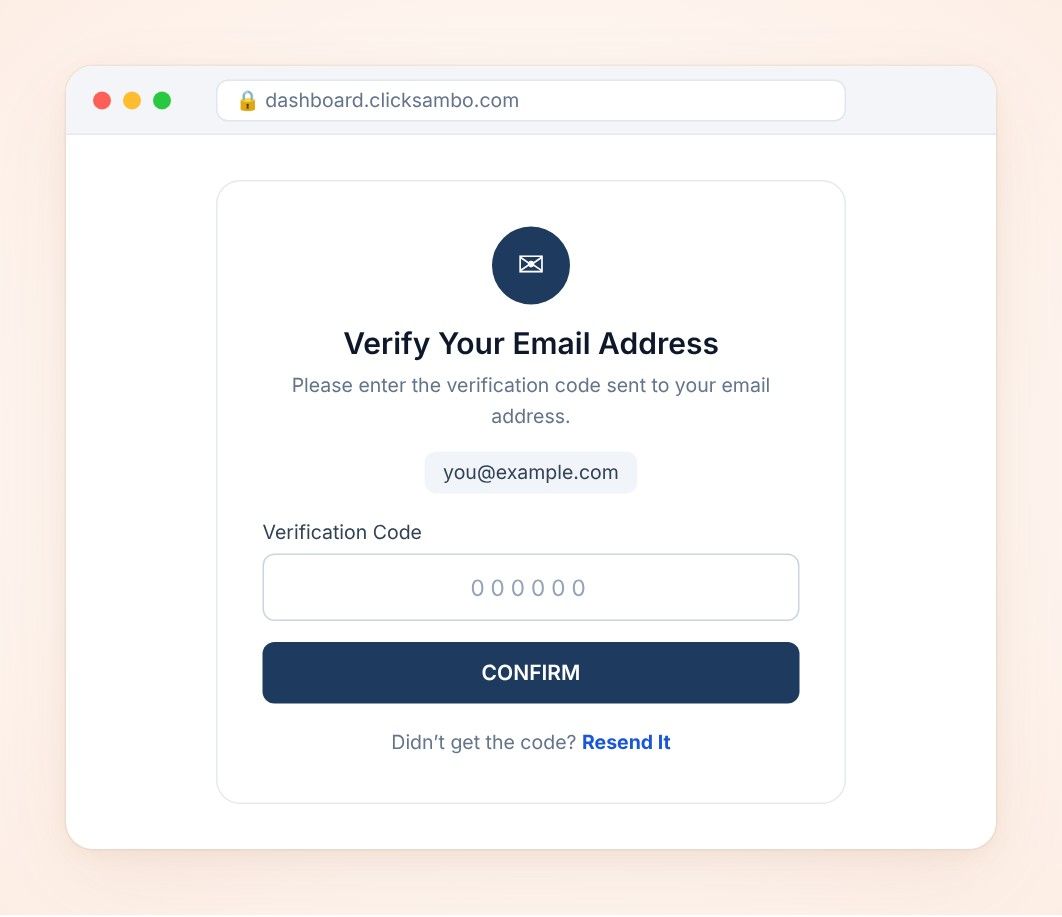
If you signed up with your email address, you need to verify it before you continue:
Check your inbox for an email from ClickSambo with the subject "Verify your email address." Also check your spam or junk folder.
Open the email. It contains a unique verification code (for example, 5337).
Go back to the ClickSambo page that asks for email verification.
Enter the code in the "Verification Code" field.
Click "Confirm".
If you signed up with your Google account, you don’t need to verify your email.
Once your email is successfully verified, you will be guided to the next step in the ClickSambo onboarding process.
Didn’t receive the email? Click the "Resend It" link on the verification page, and make sure you entered the correct email address when signing up.
Incorrect code? Make sure you enter the exact code from the most recent email. If the problem continues, request a new code with the "Resend It" link.


Protect your marketing budget and increase revenue with ClickSambo
Start Trial
Analyze your account and uncover losses caused by fake clicks.
Get Free Report
Reach us easily via WhatsApp, live chat, or email.
Contact Us
Join our partner program and turn ad-fraud protection into a scalable, recurring revenue stream.

 Other Advertisement Analytics Performance


