
Updated Date:
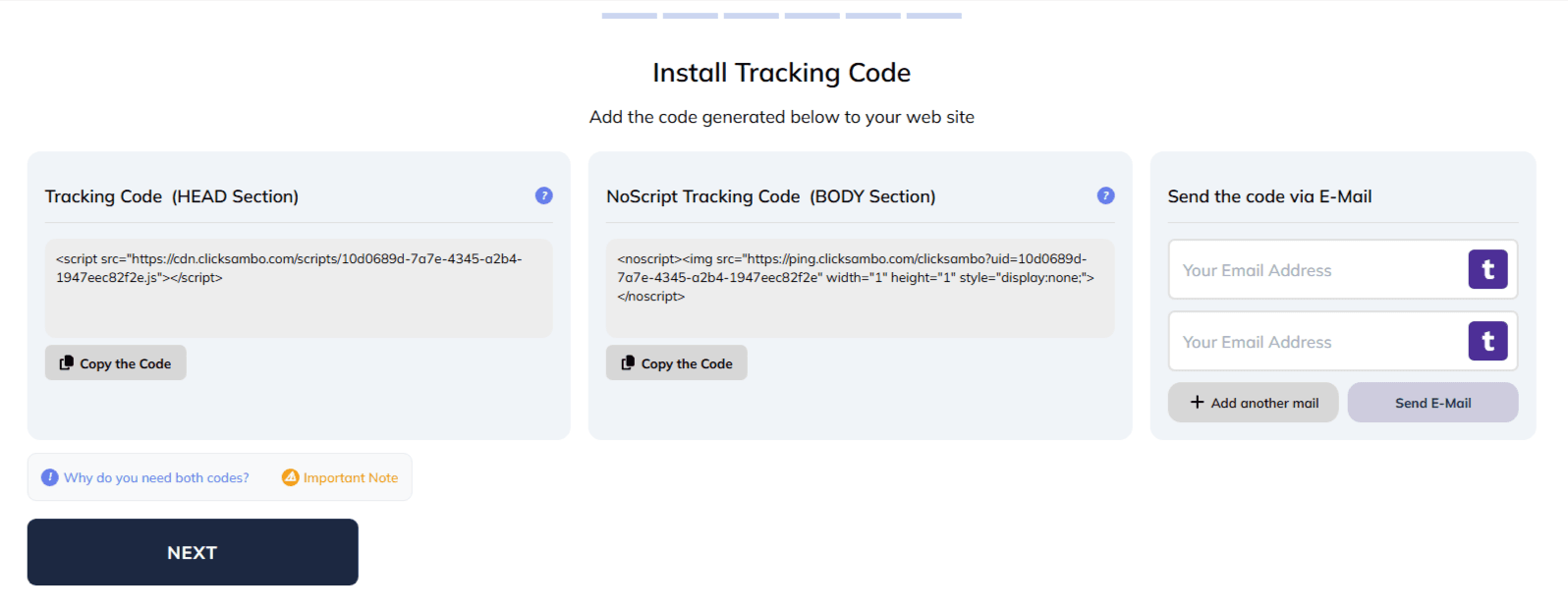
| Tracking Code | HEAD Section | this javaScript code acts as the "brains," providing advanced behavioral analysis and real-time fraud detection. |
| NoScript Tracking Code | BODY Section | acts as a "safety net," ensuring tracking continues even when JavaScript is disabled (a common behavior of bots). |
Together, they guarantee comprehensive protection for your store.
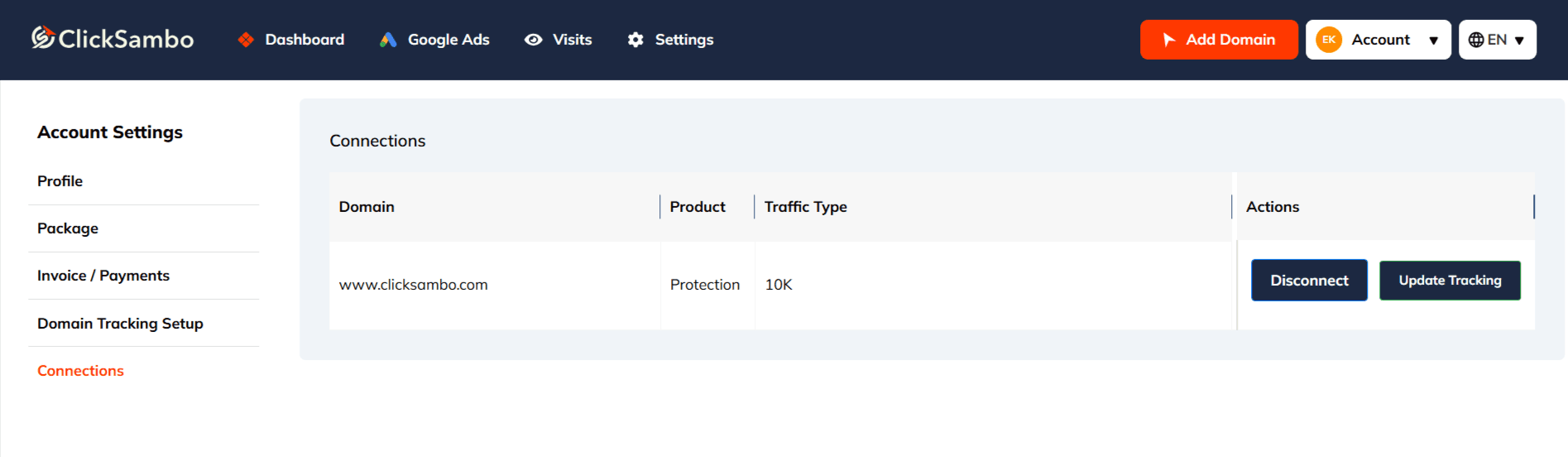
Log in to your ClickSambo account.
Navigate to Account (top-right) > Account Settings > Domain Tracking Setup.
Select the domain (website) you wish to protect.
In the "Install Tracking Code" section, you will find your two unique code snippets.
Example of what they look like:
Tracking Code (HEAD Section):
<script src="https://cdn.clicksambo.com/scripts/your-unique-id.js"></script>NoScript Tracking Code (BODY Section):
<noscript><img src="https://ping.clicksambo.com/clicksambo?uid=your-unique-id" ... ></noscript>Click "Copy the Code" for each snippet.
Tip: You can also use the "Send as an email" button to forward these directly to your web developer.
Install the HEAD Code
Where: Inside the <head> section.
Exact Placement: Paste the code just before the closing </head> tag.
Install the BODY Code
Where: Inside the <body> section.
Exact Placement: Paste the code immediately after the opening <body> tag.
Why use a template? By placing the codes in a site-wide template file, you guarantee that every existing page—and any new pages you create in the future—will be automatically protected.
Open any page of your website in a new Incognito/Private browser window (this avoids caching issues).
Right-click anywhere on the page and select View Page Source.
Confirm the HEAD code:
Press Ctrl+F (Windows) or Cmd+F (Mac) and search for: cdn.clicksambo.com
You should find this script inside the <head> section.
Confirm the BODY code:
Search again for: ping.clicksambo.com
You should find this <noscript> snippet located near the top of the body, just after the opening <body> tag.
Repeat this check on a few different pages (e.g., Homepage, Product Page, Contact Us) to ensure your template has applied the changes globally.


Protect your marketing budget and increase revenue with ClickSambo
Start Trial
Analyze your account and uncover losses caused by fake clicks.
Get Free Report
Reach us easily via WhatsApp, live chat, or email.
Contact Us
Join our partner program and turn ad-fraud protection into a scalable, recurring revenue stream.

 Other Advertisement Analytics Performance


