
Updated Date:
ClickSambo’s Auto Blocking system proactively protects your ad campaigns by detecting and stopping malicious traffic patterns in real-time. This guide explains the three core features available under this section.

Auto-Blocking is a 24/7 defense system that uses ClickSambo's advanced algorithms to continuously monitor your traffic. It instantly blocks suspicious IP addresses (including Click Fraud and Bot Traffic) based on the specific thresholds you have configured in your settings.
The system automates your protection policies. For example, if a visitor’s Bot Probability Score exceeds your threshold, or if an IP triggers your Click Fraud rules (e.g., clicking too many times in one hour), they are blocked immediately before they can drain your budget.
The functionality of this feature changes based on your subscription:
| Plan Type | Auto-Blocking Status | Action & Integration |
| Detection Plan | Disabled (Manual) | You must review suspicious activity reports and manually block IPs yourself. Ideal for users wanting total manual oversight. |
| Protection Plan | Fully Active (Automatic) | System automatically blocks threats and syncs with Google Ads exclusion lists in real-time. Stops fraudulent spend immediately. |

This feature allows you to block entire networks rather than single addresses. When enabled, ClickSambo blocks full IP ranges (e.g., 172.165.11.*) if excessive clicks are detected from multiple different addresses within that same range.
This is essential for combating coordinated fraud attempts or "click farms" originating from shared network environments.
Add one range per line using Wildcard format (e.g., 192.168.1.*) or CIDR notation (e.g., 10.0.0.0/24). Click Update to save.
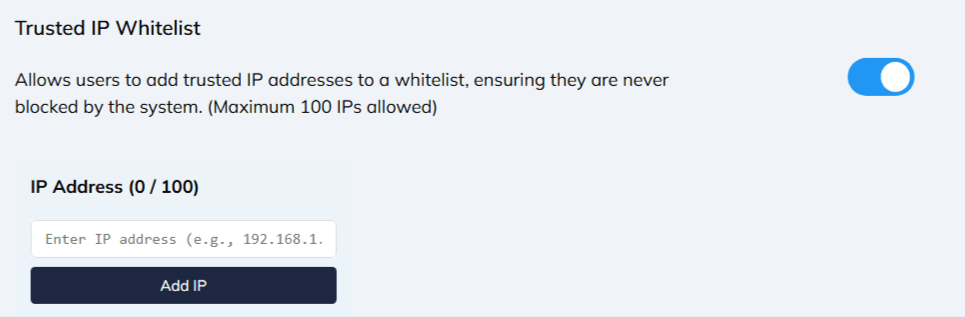
The Whitelist allows you to exempt specific IP addresses from all blocking rules. Any IP added here is marked as "Safe" and will never be blocked by the system, even if it exceeds click thresholds.
Best for: excluding your own office IP, your marketing agency's network, or internal testing tools to prevent accidental blocks.
Limit: You can add a maximum of 100 IPs to the whitelist.


Protect your marketing budget and increase revenue with ClickSambo
Start Trial
Analyze your account and uncover losses caused by fake clicks.
Get Free Report
Reach us easily via WhatsApp, live chat, or email.
Contact Us
Join our partner program and turn ad-fraud protection into a scalable, recurring revenue stream.

 Other Advertisement Analytics Performance


