
Updated Date:
The Invoice / Payments section lets you manage your billing details and access your past invoices.

Log in to your ClickSambo account.
Go to Account Settings.
Select Invoice / Payments from the left-hand menu.
A table lists your domains with these columns:
| Domain & Domain Plan | The domain and its service plan. |
| Invoice Address | Contains the Update button to edit your billing details. |
| Invoices | Contains the Details button to view and download your past payments and invoices. |
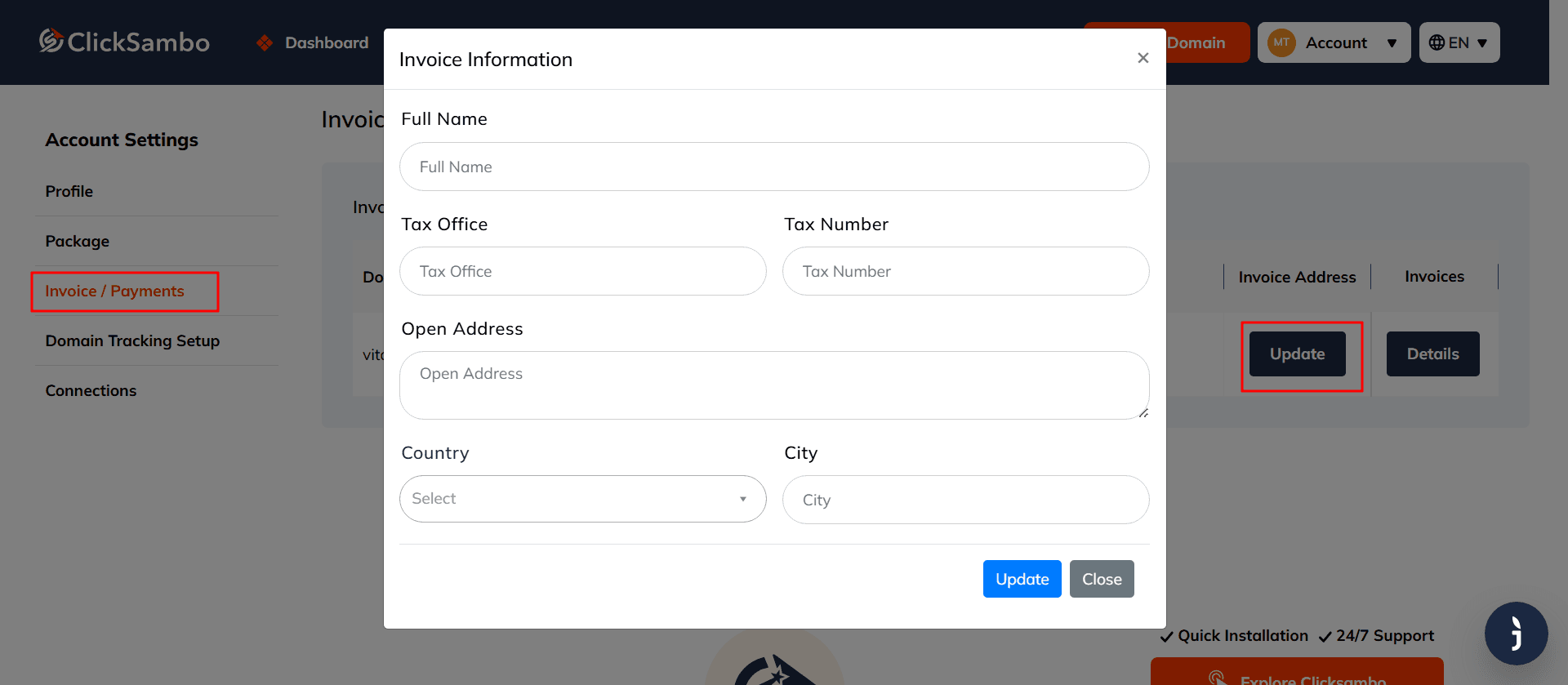
Click Update in the "Invoice Address" column. In the window that opens, fill in or change these fields:
| Full Name | The name (or company name) to appear on the invoice. |
| Tax Office & Tax Number | Your tax details, if applicable. |
| Open Address | Your full billing address, shown on the invoice. |
| Country | Select your country. |
| City | Enter your city. |
Click the blue Update button to save, or Close to exit without saving.


Protect your marketing budget and increase revenue with ClickSambo
Start Trial
Analyze your account and uncover losses caused by fake clicks.
Get Free Report
Reach us easily via WhatsApp, live chat, or email.
Contact Us
Join our partner program and turn ad-fraud protection into a scalable, recurring revenue stream.

 Other Advertisement Analytics Performance


