
Updated Date:
This is one of the most powerful tools for distinguishing between genuine human engagement and suspicious or automated bot behavior.
Using the dropdown filter on this card, you can visualize these actions across five different dimensions. In many of these views, you'll see a comparison between All Events and events that are flagged as Bot/Suspicious.
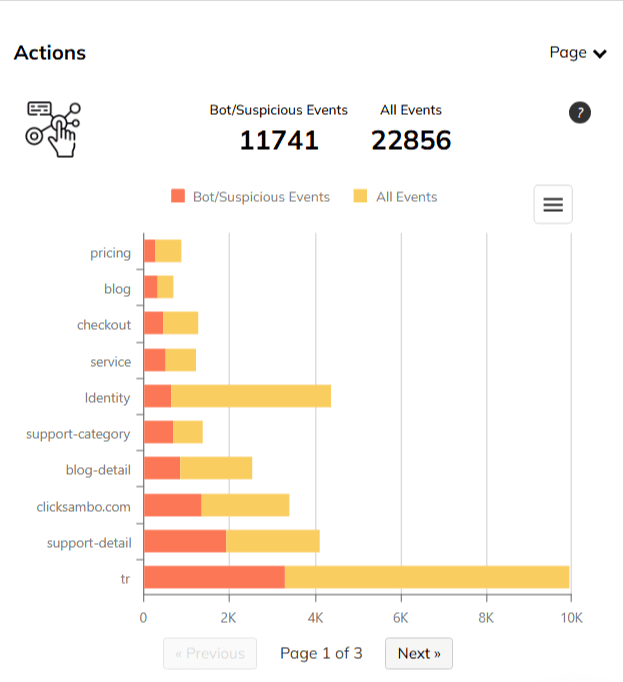
This view breaks down the actions performed on each individual page of your website. Crucially, it often uses color-coding to differentiate traffic:
(All Events): Represent all actions performed by all visitors
(Bot/Suspicious Events): Represent only the actions that our system has flagged as likely being performed by bots.
This is perfect for spotting problem pages. If you see a landing page with a high number of suspicious actions (red bar), it indicates that the page is a major target for bots.
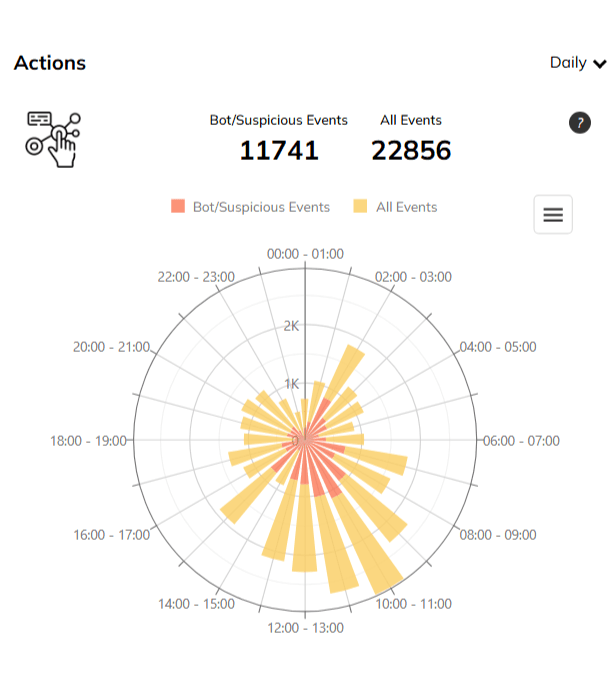
This graph breaks down when actions are performed throughout the day, allowing you to compare the patterns of all events vs. suspicious events.
Look for unnatural patterns. For example, if you see a huge spike in bot activity between 2 AM and 4 AM when your normal user activity is low, it's a clear sign of an automated attack, validating the need for 24/7 protection.
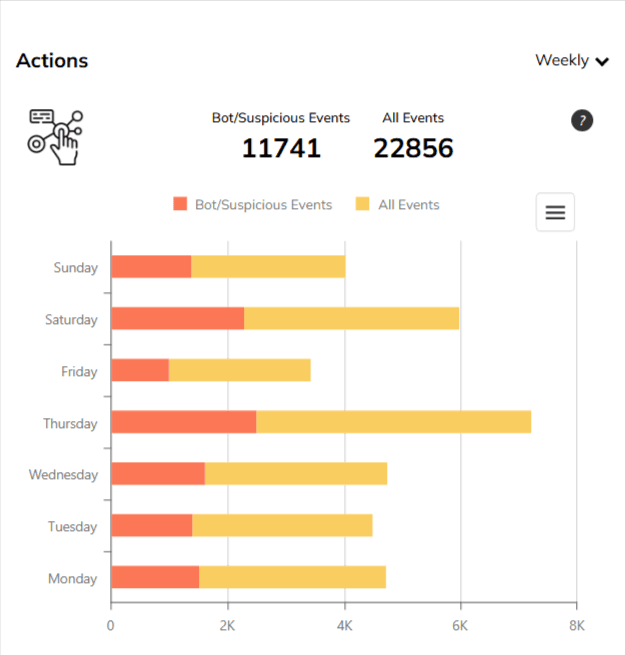
This view displays the distribution of events across the days of the week.
Compare your business days. Are bot events higher on weekends when your own team might not be monitoring as closely? This helps you understand the tactics used by fraudsters.
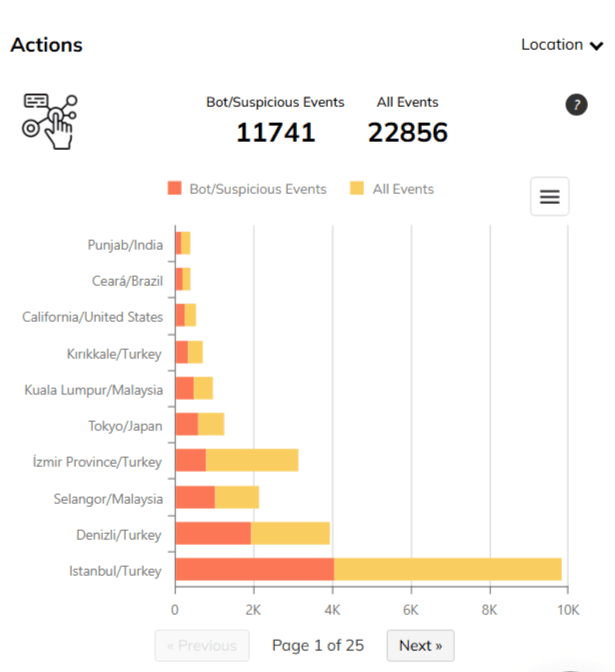
What it shows: This provides a geographical breakdown of where on-site actions are being performed, often highlighting locations with a high concentration of suspicious events.
How to use this insight: This view can reinforce your decisions from the main "Location Report." If you see that a country is sending high-fraud traffic and that traffic also performs a high number of suspicious on-site actions, it gives you even more confidence to add that location to your exclusion list in Google Ads.
By analyzing these event-level details, you can gain a much deeper understanding of the quality of your traffic and the nature of the bots targeting your site.


Protect your marketing budget and increase revenue with ClickSambo
Start Trial
Analyze your account and uncover losses caused by fake clicks.
Get Free Report
Reach us easily via WhatsApp, live chat, or email.
Contact Us
Join our partner program and turn ad-fraud protection into a scalable, recurring revenue stream.

 Other Advertisement Analytics Performance


