
Updated Date:
ClickSambo provides two easy ways to see which of your campaigns are most affected by fraudulent activity: a high-level dashboard view and a detailed reporting page.
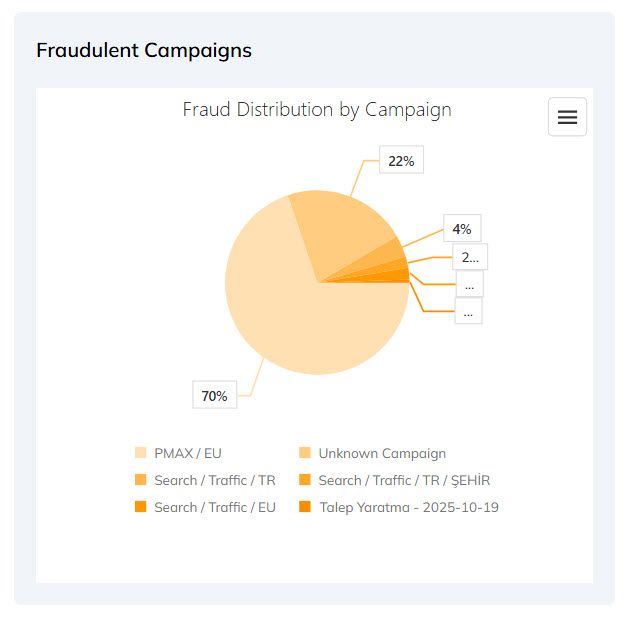
Navigate to your main Dashboard.
Locate the "Fraudulent Campaigns" widget to see a snapshot of the top offenders.

Go to the Google Ads page from the main menu.
Select the Campaigns tab.
Review the "Fraud Data by Campaign" table. Pay close attention to these two columns:
| Campaign | Name of your Campaigns |
| Ad Click | # of Ad Clicks |
| Fake Click | Sort this column to see which campaigns have the highest total number of fraudulent clicks. |
| Fraud Rate % | Sort this column to see which campaigns have the highest percentage of their total clicks identified as fraudulent. |


Protect your marketing budget and increase revenue with ClickSambo
Start Trial
Analyze your account and uncover losses caused by fake clicks.
Get Free Report
Reach us easily via WhatsApp, live chat, or email.
Contact Us
Join our partner program and turn ad-fraud protection into a scalable, recurring revenue stream.

 Other Advertisement Analytics Performance


