
Updated Date:
Important: Please be aware that disconnecting an account will immediately stop all real-time click fraud monitoring and automated IP blocking for that specific account.
Log In to ClickSambo Sign in to your ClickSambo account.
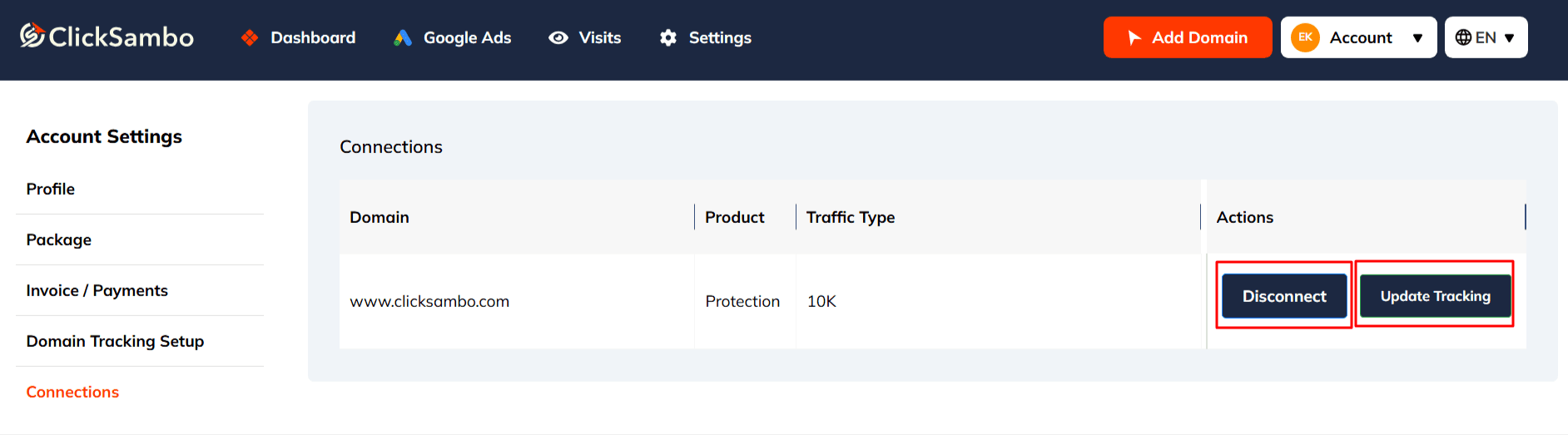
From the main menu on the left, go to: Account Settings > Connections
On the Connections page, you will see a list of all your integrated ad platform accounts.
Find the specific Google Ads account you wish to remove and click the Disconnect button next to it.
A prompt will appear asking you to confirm your choice. Approve the disconnection to complete the process.
We will no longer receive click data from that Google Ads account.
Our system will no longer be able to automatically add fraudulent IPs to that account's exclusion list.
Your past data and reports for this account will remain available for review within your ClickSambo dashboard.
Note: This action disconnects the integration from the ClickSambo side. For complete separation, you may also wish to remove ClickSambo's manager access from within your Google Ads account settings.


Protect your marketing budget and increase revenue with ClickSambo
Start Trial
Analyze your account and uncover losses caused by fake clicks.
Get Free Report
Reach us easily via WhatsApp, live chat, or email.
Contact Us
Join our partner program and turn ad-fraud protection into a scalable, recurring revenue stream.

 Other Advertisement Analytics Performance


